How to run the Nano Banana API in ComfyUI, then take it to production
Pixaroma's ComfyUI API nodes run the Nano Banana API, Seedream 4, and GPT image with no local GPU. Here's that method, plus how to call the same models as a production API on Runflow.

If you want to run the Nano Banana API without writing a line of code, the fastest path right now is inside ComfyUI. Pixaroma's Episode 63 walks through exactly that: API nodes that call Nano Banana, Seedream 4, and GPT image straight from a ComfyUI canvas, no local GPU required.
This post is the companion to that video. Full credit to pixaroma, the original is embedded right below and worth the watch. We'll cover what the episode shows, where API nodes are the right tool, and where you'd move the same models onto a production API instead.
We pay attention to this at Runflow because it's the exact path a lot of teams walk: prototype a model in ComfyUI, then need to ship it to real users. So the back half of this post is what the Nano Banana API looks like once it has to run in production.
What ComfyUI API nodes actually are
An API node calls a hosted model over its API from inside ComfyUI. Instead of downloading a 10GB checkpoint and renting a GPU, you drop a node, pay per generation, and the provider runs the model for you. It's the no-hardware way to use models you couldn't run locally.
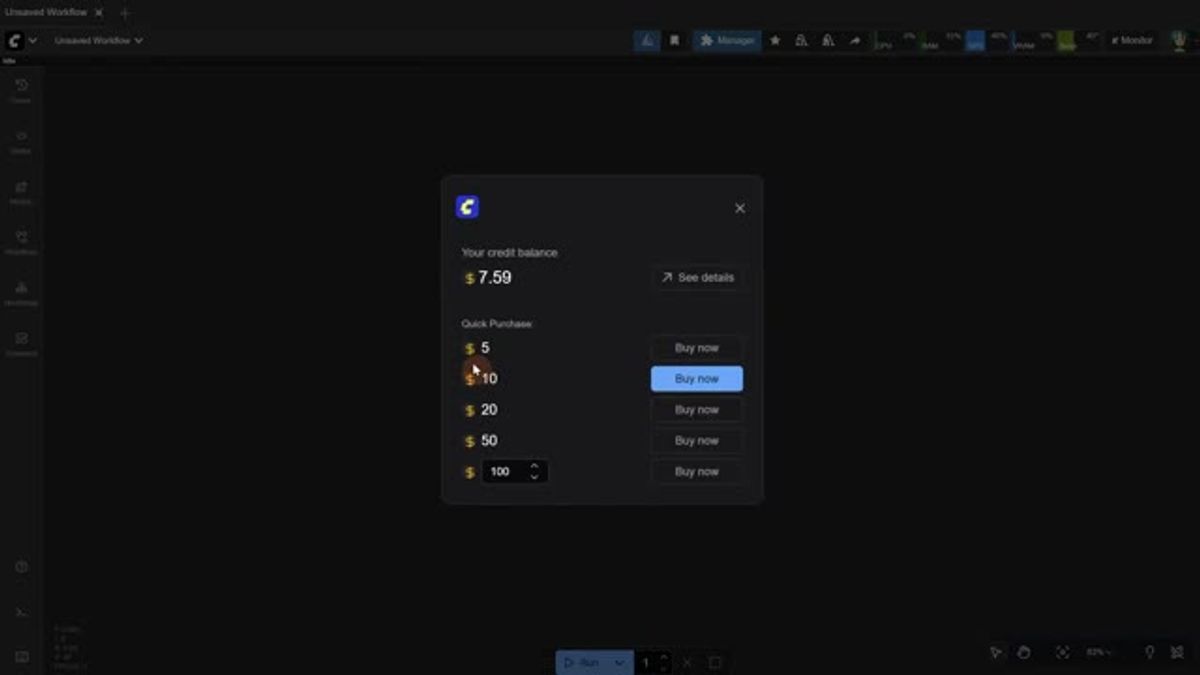
Pixaroma's setup is quick: sign in, buy a few dollars of credits, and start from a template. The credits are pay-as-you-go, so you top up $5 or $10 and each run draws it down.
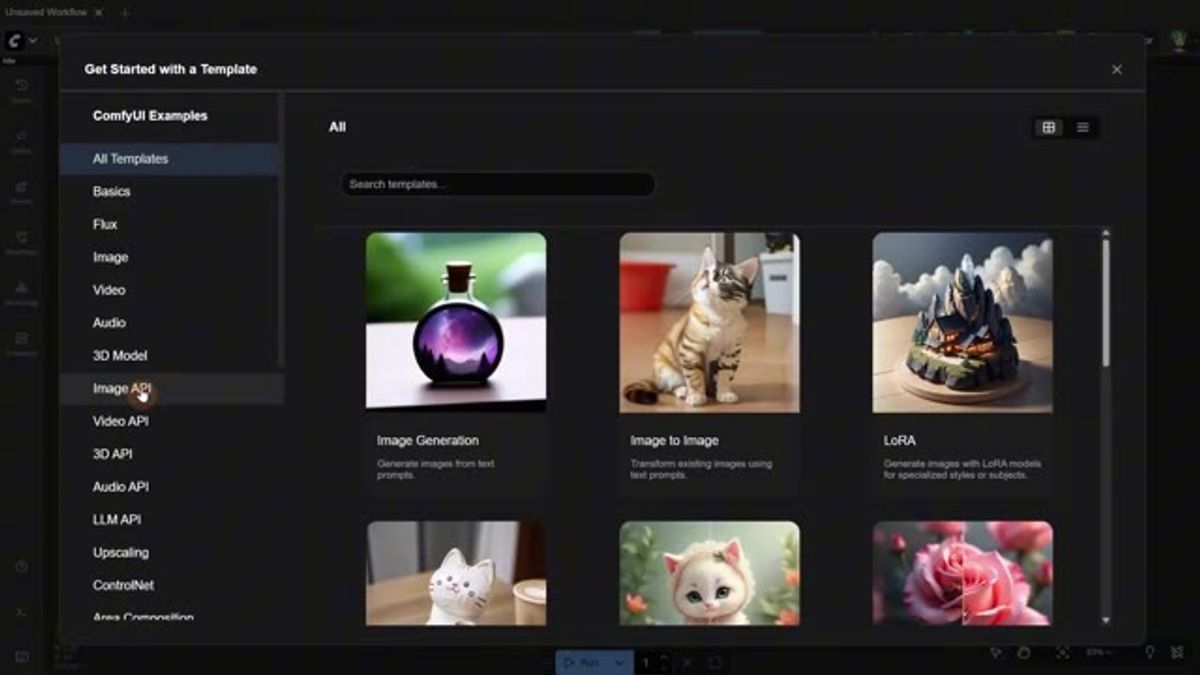
ComfyUI ships templates for exactly this. There's an Image API, Video API, LLM API, and Audio API category, each with ready-made workflows you can open and run without building the graph yourself.
Running the Nano Banana API node
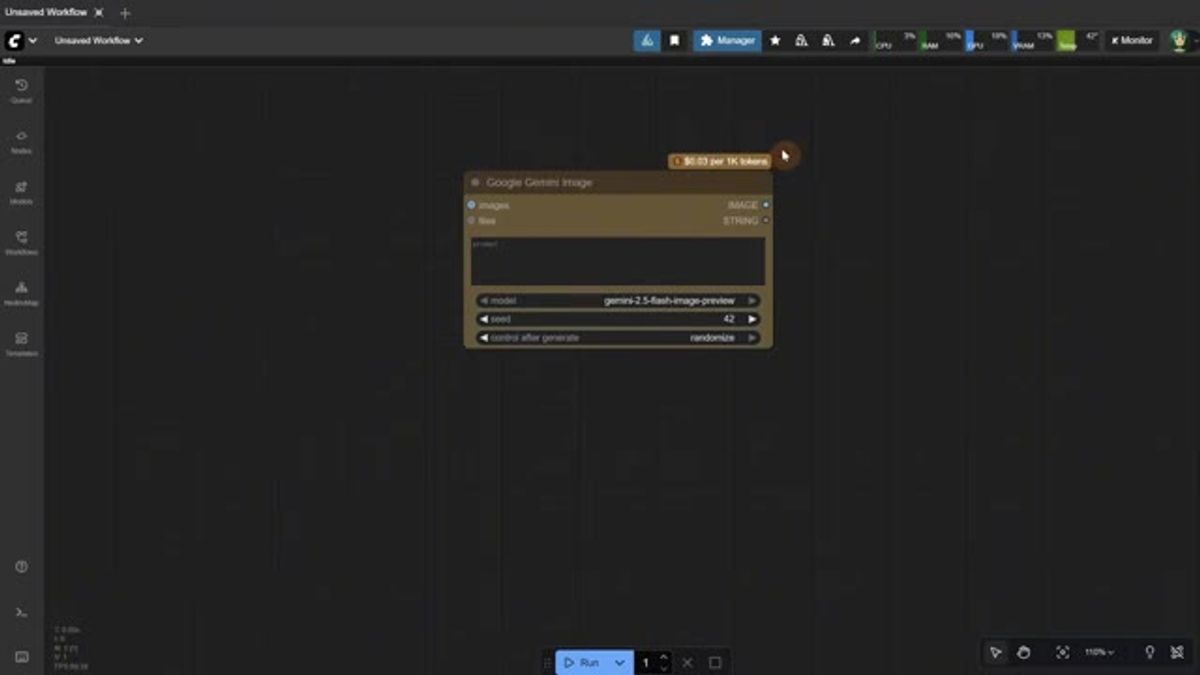
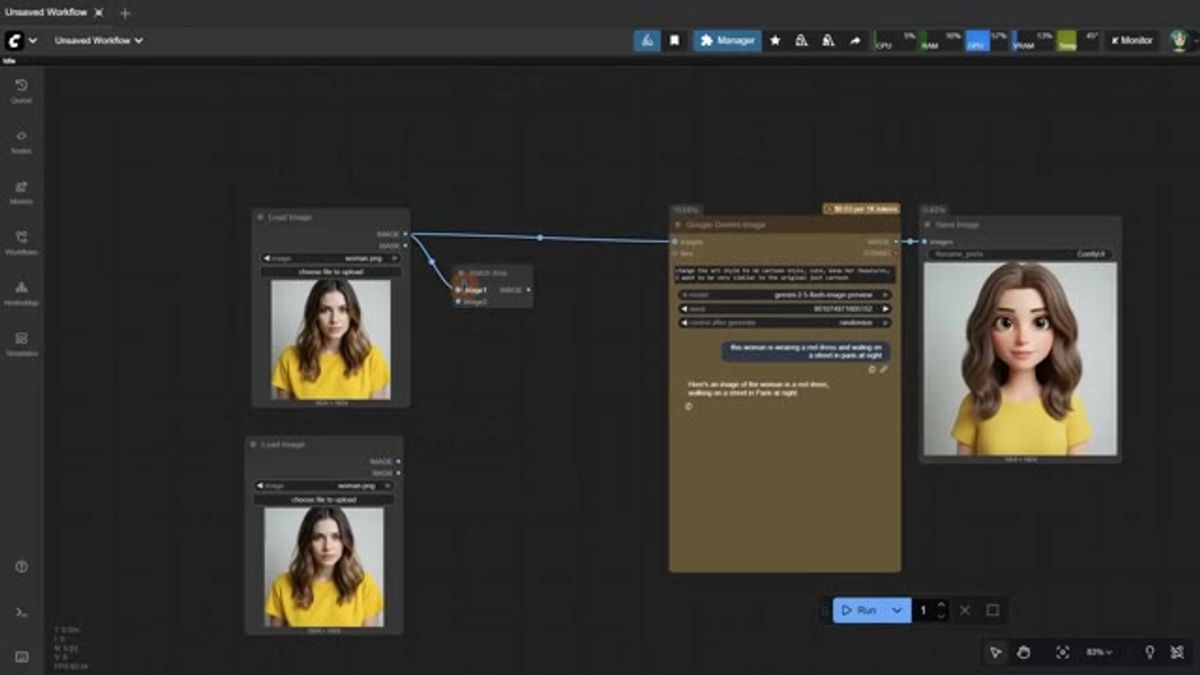
Nano Banana shows up as the "Google Gemini Image" node, since Nano Banana is Google's gemini-2.5-flash-image-preview model. The node wears its price on its sleeve: $0.03 per 1K tokens, shown right on the node before you run anything.
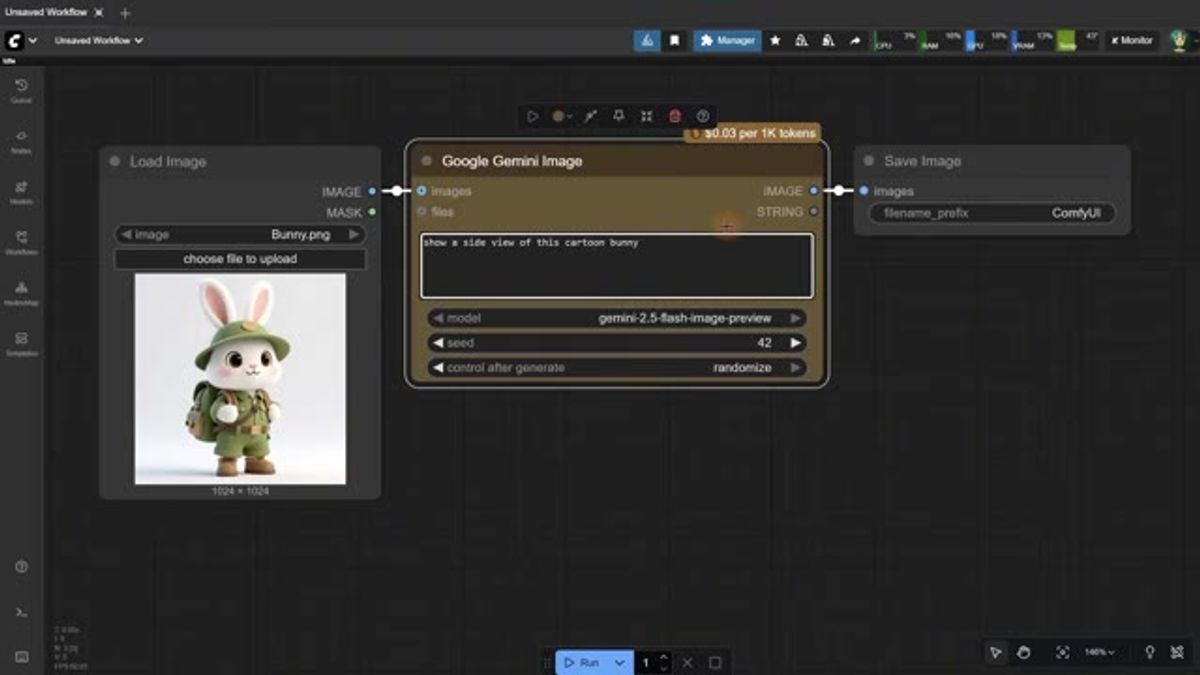
The workflow is about as simple as it gets. Load an image, write a prompt, wire it into a save node, and hit run. In the episode a cartoon bunny goes in with "show a side view of this cartoon bunny" and comes back a few seconds later. Pixaroma clocks it at roughly 13 seconds.
You can feed it more than one image. Batch two inputs into the node and it combines them, the same idea as dropping two references into Gemini or ChatGPT and prompting on both at once. It's a clean way to do reference-guided edits inside a workflow.
Seedream 4 and GPT-5 in the same canvas
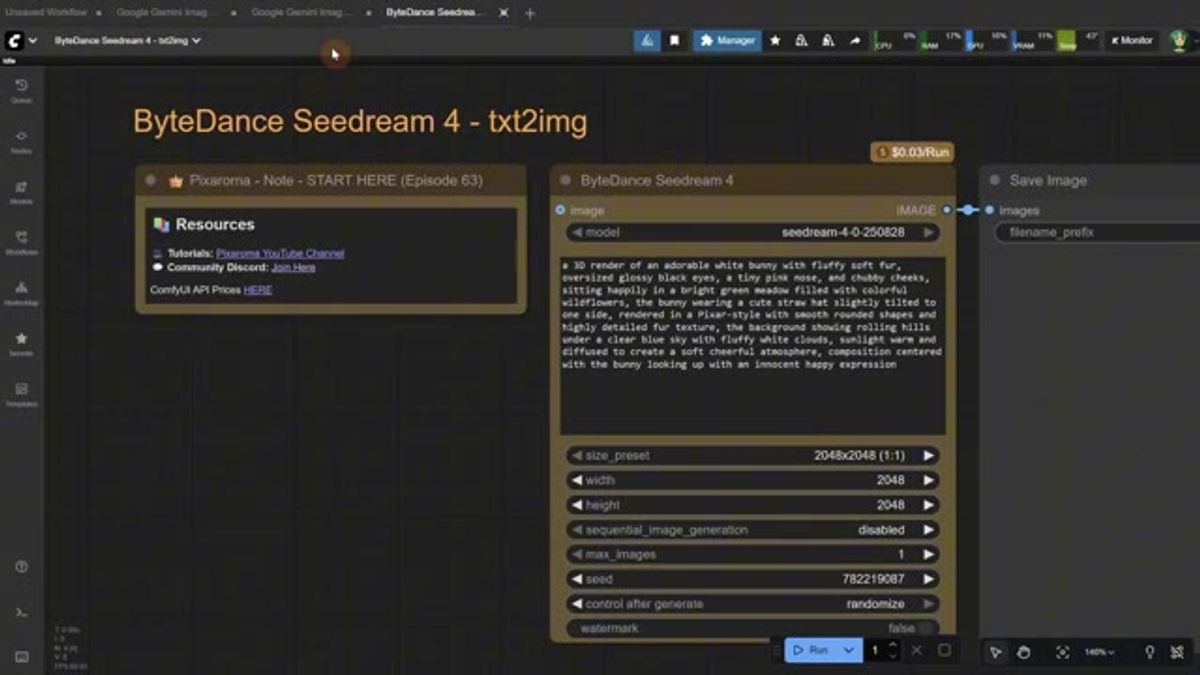
The real upside of API nodes is mixing models on one canvas. Seedream 4 from ByteDance runs as a text-to-image node at $0.03 per run, and it's strong at large images, 2048px and up, without a separate upscale pass.
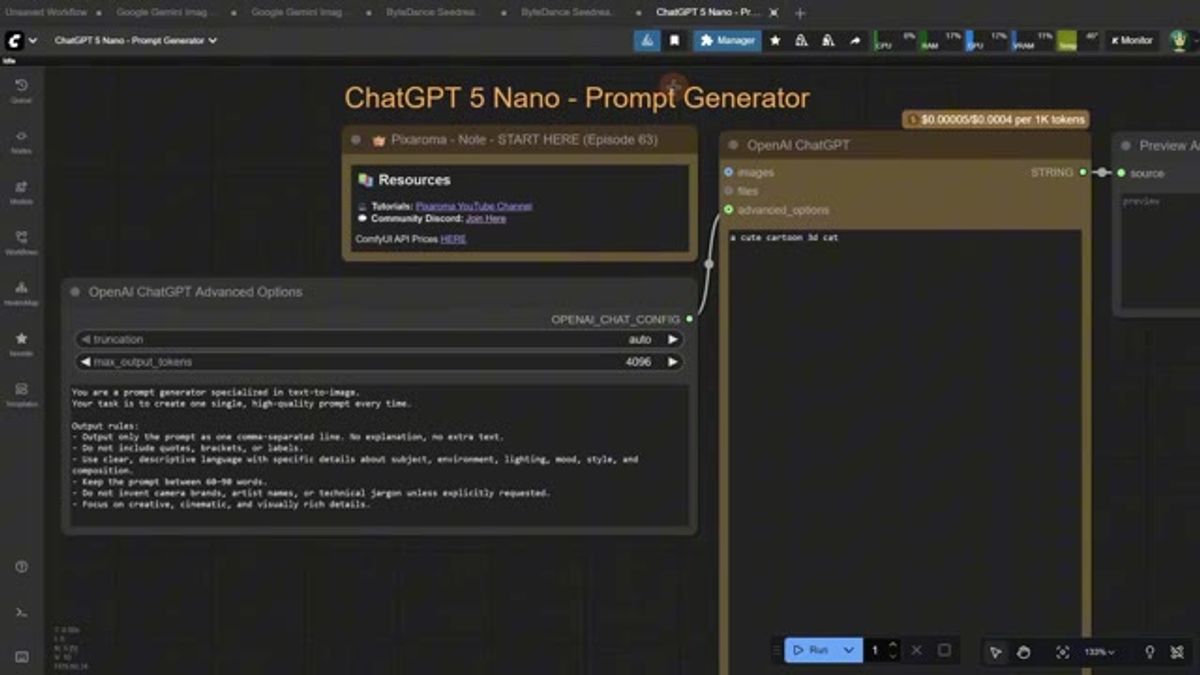
You can wire in a language model too. The episode uses ChatGPT 5 Nano as a prompt generator: hand it a rough idea like "cute cartoon 3d cat" and it writes a detailed text-to-image prompt, which then feeds the image node. Useful when you'd rather not hand-write every prompt.
What it costs
Everything here is pay-per-use. Nano Banana is $0.03 per 1K tokens, Seedream 4 is $0.03 per run, and the audio and video nodes carry their own rates. No subscription, just credits that each run draws down, with the price visible on the node before you commit.
That model is great for testing and rough for volume. At a few cents a generation it stacks up quickly once you're running thousands of them a day, and you're still the one clicking run. For how the nano banana api pricing actually compares across providers under load, we keep a live set of Nano Banana API benchmarks.
Where API nodes are great, and where they stop
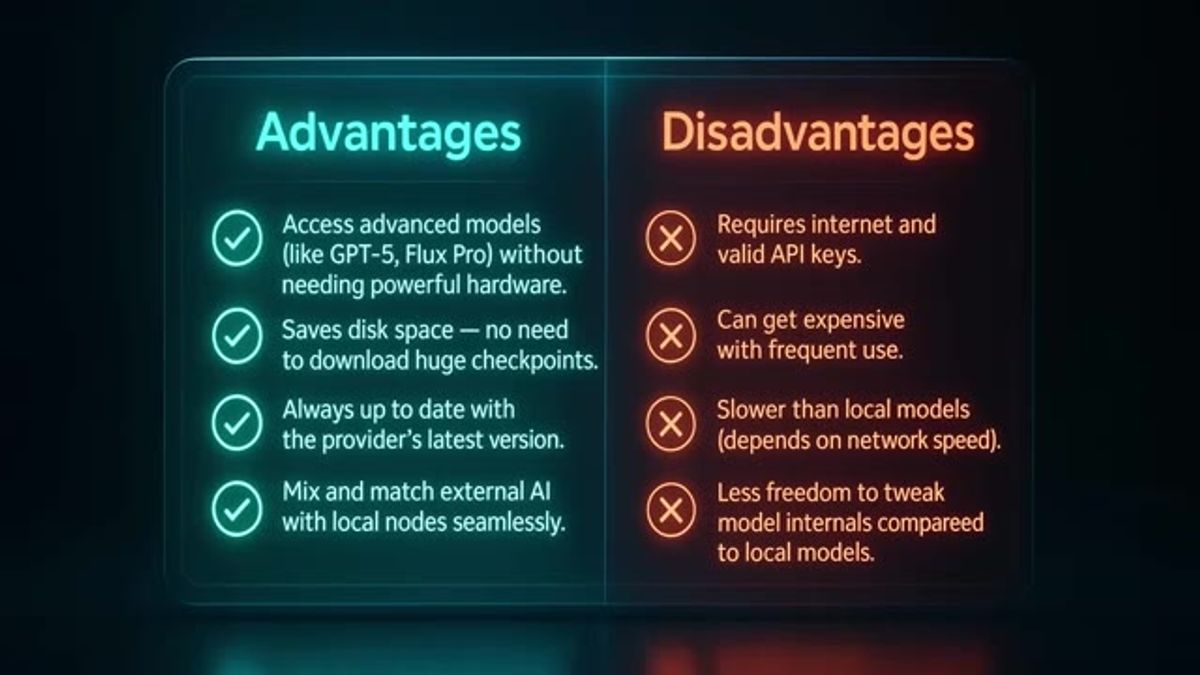
API nodes are the best way to try a model. No hardware, no checkpoints, every model on one canvas, and you can pit Nano Banana against Seedream in two clicks. Pixaroma's own pros-and-cons slide sums the trade-off up well.
The ceiling is production. API nodes live inside the ComfyUI desktop app, driven by you clicking run. There's no endpoint your own app can call, no concurrency when a hundred users show up at once, no retries when a provider hiccups, and no way to hand a customer a button that fires the workflow. The day you need any of that, you've outgrown the canvas.
The same models as a production API
This is the gap we built Runflow to cover. The same three models, Nano Banana, Seedream 4, and GPT image, are callable as a production API with one endpoint, real concurrency, and routing across datacenters so a single provider outage doesn't take your product down. If you've already read the ComfyUI side of this, our ComfyUI API developer guide covers the programmatic version end to end.
And you don't have to throw away the workflow you just built. With ComfyUI Deploy you take the whole graph to production, GPUs and all, not just one node. The canvas you prototyped in becomes a real endpoint. If you're weighing how to host it, we wrote up self-host vs serverless vs managed for ComfyUI.
Frequently asked questions
What does the Nano Banana API cost? Inside ComfyUI it's $0.03 per 1K tokens, billed from prepaid credits. As a production API the model is simple fixed per-call pricing, so you can predict spend per generation rather than per token.
Can I use these models commercially? That's governed by each provider's terms (Google for Nano Banana, ByteDance for Seedream, OpenAI for GPT image), not by ComfyUI or by the route you call them through. Check the model's own license before you ship.
ComfyUI API nodes vs a production API? API nodes are interactive: you run them by hand in the app, perfect for testing and one-off images. A production API is programmatic: your product calls one endpoint and gets a result back, with concurrency and retries. Same models, different jobs.
Where to go next
Watch pixaroma's Episode 63 above for the full ComfyUI walkthrough, it's a genuinely good tour of API nodes across image, video, and audio. When you're ready to put the Nano Banana API behind your own product instead of clicking run in the desktop app, that's the production route.
Want custom benchmarks for your workload?
We'll run our evaluation pipeline against your production data, for free.
Talk to Founders