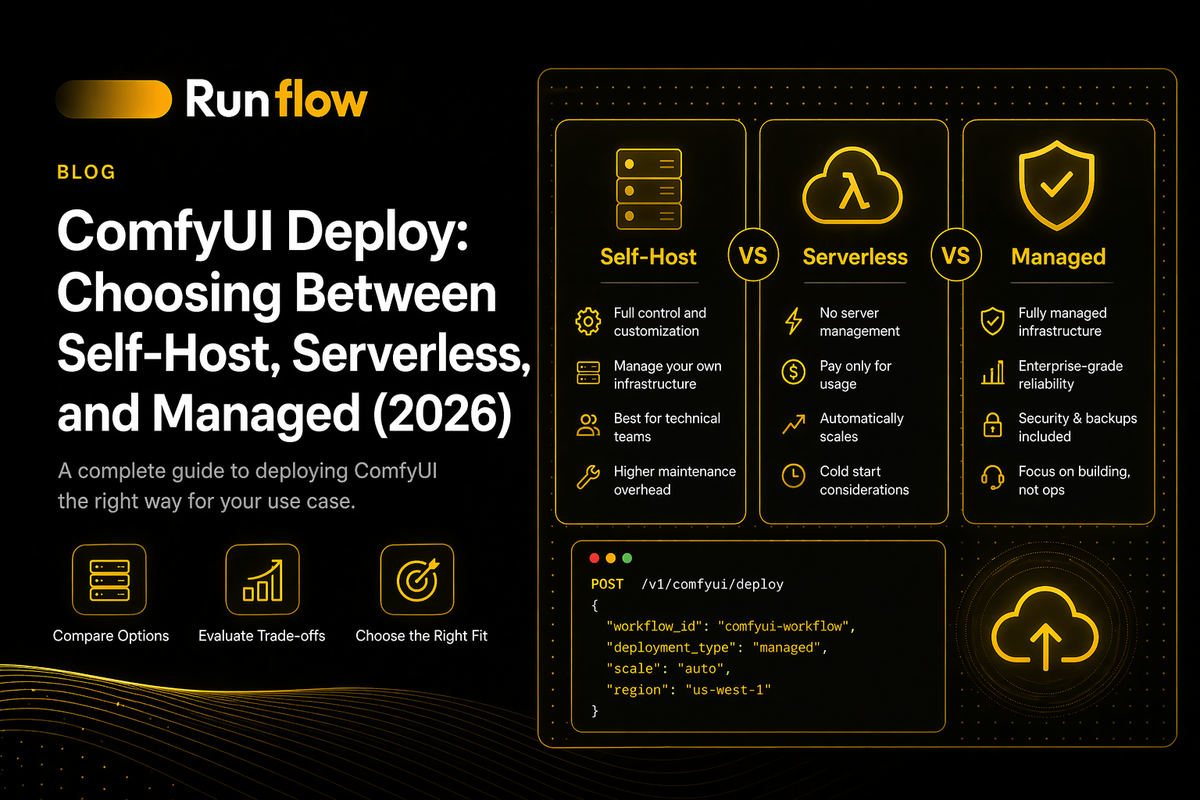
ComfyUI Deploy: Choosing Between Self-Host, Serverless, and Managed (2026)
A vendor-neutral guide to deploying ComfyUI. The five real paths - self-hosted, serverless, managed platforms, workflow-as-a-service, local - compared with cost math at 1K, 10K, and 100K images per month, plus the production hardening that applies regardless of path.

Most teams who want to deploy ComfyUI pick a platform first and figure out the consequences later. It's the wrong order. Each deployment path (self-hosted GPUs, serverless workers, managed platforms, workflow-as-a-service) makes different tradeoffs on cost, cold starts, customization, and operational overhead. Picking the right one is a function of your volume, your team, and how much of your workflow is standard versus custom.
"ComfyUI is notoriously hard to productionize" is a phrase you see in deployment threads across Hacker News, Reddit, and GitHub. That's not a statement about the software. It's a statement about how much of the work sits outside ComfyUI itself: GPU orchestration, model provisioning, custom node management, queueing, authentication, quality control, and keeping the whole thing alive under real traffic.
This guide is the vendor-neutral breakdown that doesn't exist in the current search results. It covers the five real deployment paths, a decision framework for choosing between them, concrete cost math at 1K, 10K, and 100K images per month, and the production-hardening work that applies regardless of the path you pick. Patterns here come from building and running AI image pipelines at scale. Our own infrastructure at Runflow processes over 100,000 AI jobs every month across 17 production-validated workflows, and the lessons below are what survived contact with reality.
Written for developers and technical founders who are past the "I got a workflow running locally" stage and are now trying to ship it to real users without lighting money on fire.
What It Means to Deploy ComfyUI
Deploying ComfyUI means running the ComfyUI server somewhere your application can reach it reliably, with GPU access, model files, custom nodes, authentication, and the ability to handle concurrent requests without falling over.
The ComfyUI you run locally on a laptop is the same binary that runs in production. What changes is everything around it:
- Where the GPU lives. Your machine, a rented cloud GPU, or a serverless worker that spins up on demand.
- How models and custom nodes get there. Manual download, Docker image, persistent volume, or a provisioning script.
- How requests reach it. Direct HTTP, queue, load balancer, or managed API gateway.
- Who owns uptime. You, a platform, or a hybrid.
"Deploying ComfyUI" therefore isn't one thing. It's picking which of these you own and which you outsource. The rest of this guide is about making that pick deliberately.
If you want to go deeper on the ComfyUI HTTP and WebSocket interface itself (endpoints, the /prompt flow, image uploads, integration code), start with our complete guide to the ComfyUI API. This article picks up where that one leaves off: once you know how to call ComfyUI, how do you host it?
The Five Ways to Deploy ComfyUI
| Path | What you run | What you outsource | Best for |
|---|---|---|---|
| 1. Self-hosted GPU | ComfyUI + models + infra | Nothing except the hardware rental | High volume, full control, custom nodes |
| 2. Serverless workers | Your Docker image with ComfyUI | Scaling, GPU management, queueing | Spiky or unpredictable traffic |
| 3. Managed ComfyUI platform | Your workflows only | Everything else — server, scaling, API | Teams that want to ship fast |
| 4. Workflow-as-a-Service | Your workflow definition | ComfyUI itself — it's abstracted away | Versioned APIs, non-ComfyUI consumers |
| 5. Local / edge | Everything, on-device | Nothing — fully air-gapped | Regulated data, desktop apps, on-prem |
Every production ComfyUI deployment falls into one of five buckets. The rest of the article is structured around these. A summary table of the five paths is provided in the section below.
Three important notes before the deep dive:
- These aren't mutually exclusive. Production setups often use a managed platform for 80% of traffic and self-host for the 20% of workflows that need custom nodes. We see this hybrid pattern constantly with teams running consumer-facing products.
- You can move between them. Moving from a managed platform to self-hosted is harder than the reverse. If you're unsure, start with a managed platform and migrate only if volume or control demands it.
- The "best" path changes with volume. At 500 images/month, serverless wins. At 500,000, self-hosted wins. The middle is where the interesting tradeoffs live, and where opinionated managed platforms matter most.
Decision Framework: Which Path Should You Choose?
Use this decision tree to cut the space in half quickly, then read the specific path section for details.
Question 1: Do you use custom nodes that aren't in the standard registry?
- Yes. Rule out most managed platforms (they support only allowlisted nodes). Consider self-hosted, serverless with custom images, or the managed platforms that support bring-your-own nodes (Comfy Deploy, Runflow, ViewComfy).
- No. Every path stays on the table.
Question 2: What's your expected monthly image volume?
- Under 1,000. Use a managed platform or serverless. Not worth building infra.
- 1,000 to 50,000. Serverless workers or mid-tier managed platforms give the best cost-to-effort ratio.
- Over 50,000. Self-hosted starts making sense, but only if you have the ops capacity. Below this, the operational overhead isn't recouped by the cost savings. Above this, a well-priced managed platform can still win if it scales to zero between bursts.
Question 3: How predictable is your traffic?
- Steady and predictable. Self-hosted on reserved GPUs wins on cost.
- Spiky or unpredictable. Serverless wins. You only pay for GPU seconds consumed, and a managed platform that scales to zero when idle pays off fast.
- Zero-to-viral. Serverless or a managed platform with autoscaling. Do not self-host for this pattern; you'll either over-provision or drop requests.
Question 4: Is your team comfortable running GPU infrastructure?
- Yes. Self-hosted or serverless.
- No. Managed platform. The ops time you save is worth more than the per-image premium.
Question 5: Is data sensitivity a hard requirement?
- Regulated or proprietary. Self-hosted or local. Managed platforms read your workflows and inputs.
- Standard. Any path.
A one-line summary: managed platforms at low volumes, serverless at mid volumes, self-hosted at high volumes, with local and edge reserved for regulatory cases. One practical nuance we've seen repeatedly: teams underestimate how quickly they move up volume tiers once they ship, so optimize for easy migration out of your first choice rather than minimizing its per-image cost.
The rest of the article walks through each path in detail.
Path 1: Self-Hosted on Your Own GPU
Self-hosted ComfyUI deployment means running the ComfyUI server on a GPU you rent or own (typically on Vast.ai, Lambda, CoreWeave, or bare-metal hardware) with full control over models, custom nodes, and the runtime environment.
This is the highest-control, lowest-per-image-cost path. It's also the one with the most operational overhead, and the one most teams underestimate.
What you actually manage
- The GPU host. Rent a 3090 / 4090 / A100 / H100 on Vast, RunPod Community Cloud, Lambda, or CoreWeave. Or buy hardware.
- The operating system and Python environment. ComfyUI runs on Python 3.10+. CUDA, PyTorch, dependencies.
- ComfyUI itself.
git clone, install requirements, start withpython main.py --listen 0.0.0.0 --port 8188. - Models. Checkpoints, LoRAs, VAEs, ControlNets, CLIP, upscalers. Often tens of GB. They need to be downloaded to specific directories.
- Custom nodes. Installed into
ComfyUI/custom_nodes/. Each has its own dependencies. - A reverse proxy. Nginx or Caddy, for TLS termination and auth (ComfyUI has no built-in auth).
- A queue in front. Redis/BullMQ, SQS, or RabbitMQ, because ComfyUI is single-threaded.
- Monitoring and backups. GPU utilization, VRAM, queue depth, model integrity.
The provisioning problem
The single biggest time sink in self-hosting is this: every time you start a new GPU instance, you have to reinstall ComfyUI, download every model, install every custom node, and restore your config. On Vast or RunPod Community Cloud this happens often, because instances get interrupted, moved, or you spin up new ones to scale.
Doing this manually takes 30 to 90 minutes per instance. Do it weekly and you've lost a workday a month. We've seen teams lose multiple engineers' weeks per quarter to this pattern before automating it.
The fix is a one-line installation script that does the whole setup automatically. Tools like deploy.promptingpixels.com generate a bash one-liner that:
- Installs the ComfyUI version you specify.
- Downloads every model from a list (with support for Hugging Face and Civitai URLs, mapping each to the correct directory).
- Installs every custom node you specify, pinned to a version.
- Configures the environment variables (Hugging Face tokens, API keys).
- Starts the server.
You paste this one-liner into the Jupyter terminal on a fresh Vast or RunPod instance, hit enter, walk away. By the time you come back, ComfyUI is running with your exact setup.
This is the closest ComfyUI gets to "infrastructure as code." It's the pattern every serious self-hoster converges on eventually, and it's almost never written about. If you're deploying to Vast or RunPod Community Cloud, build or use an install script from day one. For comparison: managed platforms that do this automatically (including Runflow) typically spin up a custom environment per workflow in 1 to 5 minutes, with model and custom-node resolution handled end-to-end.
When self-hosting is the right answer
- You run over 50,000 images per month and the per-image cost savings compound.
- You use custom nodes or custom models that managed platforms don't allow.
- Your data can't leave your infrastructure.
- You need specific GPU hardware (H100s, multi-GPU setups, unusual VRAM tiers).
When it isn't
- You're still figuring out your workflow.
- Your traffic is spiky or hasn't ramped yet.
- Your team has zero DevOps capacity.
- You'd rather focus on the product than the infra.
Path 2: Serverless on RunPod
RunPod Serverless is the most common path for teams who want ComfyUI to scale on demand without running servers full-time. You package ComfyUI into a Docker image, configure the endpoint, and RunPod handles GPU allocation, scaling, and billing by the second.
RunPod has become the default for this bucket because of three things: the worker-comfyui image is battle-tested, per-second billing is genuinely pay-as-you-go, and the Hub templates remove most of the initial setup.
How it works
At a high level:
- Start from the
runpod/worker-comfyuiDocker image. Several variants exist, pre-loaded with common models (SD3, FLUX schnell/dev, SDXL) or a base image you bring your own models to. - Create a RunPod Serverless endpoint. Either from the Hub (one-click for standard configs) or by pointing at a custom Docker image you've built.
- Call the endpoint. POST to
/run(async) or/runsync(sync, up to roughly 120 seconds). The payload includes your workflow JSON in API format plus any input images. - Poll for results. The response contains a job ID; poll
/status/{id}until the job completes, then pull the output (base64-encoded images or S3 URLs if you've configured S3 upload).
For workflows that produce images in under 10 seconds, /runsync is simpler. For anything longer, or anything with queueing, use /run and poll.
Customizing the worker
The default Hub image gets you FLUX or SDXL quickly. For custom models or custom nodes, you have two options:
- Network volumes. Mount a persistent disk with your models pre-downloaded. Faster iteration, but ties you to a region.
- Custom Docker images. Fork the
worker-comfyuiDockerfile, add your model downloads and custom node installs, push to Docker Hub, point your endpoint at it. Slower to iterate, more portable.
For production, custom Docker images are the right pattern. Version them, tag them, roll back cleanly. Network volumes are fine for development and testing.
Cold starts
The main operational pain. A cold worker takes 20 to 60 seconds to boot, load ComfyUI, and load models into VRAM, and longer for large models (FLUX dev, video models). Mitigations, in order of effectiveness:
- Active workers. Keep 1 to 3 workers always-on. You pay for idle time but serve the first request fast. Standard pattern for user-facing products.
- Flashboot. RunPod's snapshot-based cold-start acceleration. Cuts cold start to 2 to 5 seconds for most workflows. Worth enabling.
- Smaller models where possible. FP8 quantized models load faster than FP16.
- Pre-load models in your Dockerfile. Don't download on first request; bake them in.
The architectural move past these point-fixes is dynamic container caching: containers that stay warm across jobs, with models loaded from fast network storage rather than re-fetched on each boot. That's what serious ComfyUI platforms (Runflow included) do internally, because point-fixes stop scaling once your workflow mix is diverse.
When serverless is the right answer
- Unpredictable or spiky traffic.
- You need autoscaling without building it yourself.
- Monthly volume in the 1,000 to 50,000 range.
- You're comfortable building a Docker image.
When it isn't
- You need sub-second response times and can't tolerate any cold starts.
- Your workflow takes over 10 minutes (hits RunPod's timeouts).
- You run over 100K images/month steady, where self-hosting undercuts the per-second pricing.
- Your custom nodes aren't Docker-friendly.
Path 3: Managed ComfyUI Platforms
Managed ComfyUI platforms host the server, handle scaling, and expose your workflows as APIs. You only bring the workflow JSON. The tradeoff is less customization in exchange for dramatically less operational work.
This category has matured fast. Three years ago there was nothing. Today there are at least five credible options, each with a slightly different angle.
Comfy Deploy (comfydeploy.com)
The YC-backed managed platform that started as the open-source comfyui-deploy project (github.com/BennyKok/comfyui-deploy) and became a hosted product.
What it does: You upload a workflow, it becomes an API endpoint. Built-in support for custom nodes, LoRAs, and model management. Handles queueing, scaling, and version control of workflows.
Strengths: Closest thing to "ComfyUI as a SaaS." Active development. The open-source backend means you can self-host the same stack if you outgrow the managed tier.
Tradeoffs: Vendor-specific API, not the native ComfyUI /prompt endpoint. If you later want to move off, you'll rewrite your integration. Pricing is per-request on top of GPU time; at high volume it's more expensive than raw RunPod.
Best for: Teams who want to ship a ComfyUI-backed product in days, not weeks, and who value workflow versioning.
Runflow (runflow.io)
Our own platform, included here because the positioning is different enough to matter. Runflow is built around the conviction that most managed ComfyUI platforms stop at "deployment," and that the real production work is everything that wraps around it. The tagline is: "deploy your ComfyUI workflow as an API in one click, and unlock what's beyond it."
What it does: A plugin inside ComfyUI lets you deploy any workflow to a live API endpoint in 1 to 5 minutes, including every installed custom node, model, and dependency. Missing models pull automatically from Hugging Face and Civitai, covering roughly 99% of cases. A single unified node in the plugin also lets you call over 736 cloud-hosted models (open-source and closed-source, including models you can't run locally) directly from the ComfyUI canvas.
What's different:
- Automated quality evaluation via Sentinel. Every generated image is scored across 8 quality dimensions (artifact detection, prompt alignment, face fidelity, skin-tone consistency, and more) before delivery, with configurable pass/fail thresholds and built-in retry on failure. This is the BetterPic pattern made native: generate more candidates than you need, score them, deliver only what passes. BetterPic (our headshots case study) generates 240 candidates per user and delivers the top 60. That layer is what took their gross margin from the ~60% most headshot products run at to 87%.
- Multi-provider routing. Requests route across a primary provider (fal.ai), a cost-optimization layer (together.ai), and a reliability fallback (Replicate), based on availability, reliability, and cost. Provider outages are handled transparently through internal retry. Teams that wire this themselves spend weeks on it; the gap between single-provider and routed pricing is typically 50 to 65%.
- Dynamic per-workflow containers. Each workflow gets its own container, built once per (user, workflow) combination, with a lean base and network-mounted model storage. Pre-warmed workloads stay hot for common workflows. No cold-start cliff when traffic bursts.
- Scales to zero. Billed per second. Idle workloads cost nothing.
- Dev, staging, and production environments. Promote workflows through environments the way you promote code. Pin by version, roll back with one click.
- Built-in port security check. The plugin runs a free, anonymous scan of your local ComfyUI instance and flags exposed ports. Not a deployment feature, but directly addresses the single most common ComfyUI security failure (exposed instances on public IPs).
Pricing: Roughly half of the market on comparable hardware. A100 at $4.93/hr is about 20% cheaper than Comfy Deploy equivalents; H100 at $5.96/hr is about 29% cheaper. $10 free signup credit, no credit card required. Up to 25% off on multi-month commitments.
Tradeoffs: Newer platform than Comfy Deploy or RunPod. Opinionated about treating workflows (not models) as the unit of deployment, which is the right model if you've built anything real in ComfyUI but can feel heavy for single-model use cases. Editing happens locally, not in the cloud, which is deliberate: the canvas is for development, the cloud is for running.
Best for: Teams who want a managed platform that also solves quality scoring, multi-provider routing, and environment management without wiring it themselves.
ViewComfy (viewcomfy.com)
Similar positioning to Comfy Deploy, different emphasis. ViewComfy leans harder into shareable web apps; you can turn a workflow into a hosted UI that non-technical users interact with, not just an API.
Strengths: If your product has internal users or clients running workflows via a web interface, this is the shortest path. Good custom node support.
Tradeoffs: The web-app layer is useful only if you want it. For pure API use cases, Comfy Deploy or Runflow is more direct.
Best for: Agencies, content teams, internal tools where humans run workflows through a form.
Salad
A GPU-marketplace-backed platform that exposes ComfyUI as a webhook-driven API. Open-source comfyui-api fork with ergonomic additions like webhooks, dynamic workflow endpoints, and S3 upload built in.
Strengths: Cheapest GPU pricing among managed options (consumer GPUs from distributed nodes). Good webhook ergonomics.
Tradeoffs: Distributed GPUs mean more variance. Some jobs land on fast hardware, some on slower. Less predictable latency than RunPod or a dedicated provider.
Best for: Batch processing, non-user-facing workloads, cost-sensitive workflows where latency variance is acceptable.
Modal
Not ComfyUI-specific, but often used to host ComfyUI. Modal is a Python-native serverless GPU platform where you write a function that wraps ComfyUI, and Modal handles the rest.
Strengths: Everything is code. Git-based deployment. Excellent developer experience for Python teams. Good cold-start performance.
Tradeoffs: More setup than a button-click platform. You're writing Python wrappers, not dropping in workflows. Premium pricing.
Best for: Python-heavy teams who want code-defined infrastructure and are already evaluating Modal for other workloads.
Choosing between them
A rough guide:
- Fastest time to API. Comfy Deploy or Runflow
- Quality scoring and auto-retry built in. Runflow
- Non-technical user-facing web apps. ViewComfy
- Cheapest compute, batch jobs. Salad
- Python-native team, code-defined infra. Modal
Path 4: Workflow-as-a-Service
Workflow-as-a-service tools convert a ComfyUI workflow into a versioned, deployable service with a standard API, abstracting ComfyUI itself away from consumers of the API.
This is a newer category and a different idea from managed hosting. Instead of "here's your ComfyUI, run workflows against it," it's "here's your workflow, wrapped as a service with its own schema, docs, and versioning."
BentoML's comfy-pack
The leading example. comfy-pack is a toolkit from the BentoML team that transforms ComfyUI workflows into production-grade APIs. You define input and output schemas using special nodes inserted into your workflow, and comfy-pack generates a standardized REST service with typed inputs, generated client SDKs, and observability.
Strengths: The generated API looks nothing like ComfyUI. It looks like a normal, versioned REST API. Consumers don't need to know ComfyUI exists. Strong enterprise features (autoscaling, tracing, deployments to BentoCloud or your own Kubernetes).
Tradeoffs: Most setup of any path. Requires modifying your workflow to add comfy-pack input/output nodes. If your team isn't already in the BentoML world, the learning curve is real.
Best for: Enterprise deployments where ComfyUI is an implementation detail and you want to expose clean APIs to other teams or customers.
Replicate (Cog)
Technically adjacent. Replicate's Cog packaging format can wrap a ComfyUI workflow into a versioned model that runs on Replicate's infrastructure. You write a cog.yaml, define inputs and outputs in Python, push to Replicate.
Strengths: Instant distribution. Once published, anyone can call your model via Replicate's API. Good for open-source workflows and community distribution.
Tradeoffs: Vendor lock-in to Replicate's infrastructure and pricing. Less flexibility than BentoML.
Best for: Publishing workflows as models for external consumers.
Note on the category in general: Runflow borrows the "typed input/output nodes inside the canvas" idea from this world. Dedicated Runflow input and output nodes placed directly on the canvas generate the API contract automatically, so the designer editing the workflow controls the API surface and the developer doesn't have to reverse-engineer graph IDs. That's the single cleanest pattern for custom-input handling we've found, and it's the one we'd push any team toward regardless of platform.
Path 5: Local and Edge Deployment
Local deployment runs ComfyUI on user-controlled hardware (a desktop app, an on-prem server, or an air-gapped environment) with no cloud dependency.
This is the smallest bucket by volume but the most important for a specific set of use cases.
The three sub-paths
- Desktop application. Bundle ComfyUI into an Electron/Tauri app that ships with a GPU runtime. Users run everything locally. Works best with smaller quantized models.
- On-prem server. Run ComfyUI on a customer's own hardware, inside their network. Common in enterprise deployments for privacy-sensitive verticals.
- Air-gapped. No internet at all. Models and custom nodes must be pre-packaged. Common in regulated industries (defense, healthcare, legal).
When local wins
- Data can't leave the user's machine. Medical imaging, legal documents, trade secrets.
- You're shipping software, not a service. Creative tools, desktop photo editors, hobbyist workflows.
- Internet is unreliable. Field workflows, offline creative studios.
The operational pattern here is completely different from the others. You care about installer size, model quantization, first-launch UX, and graceful degradation on weaker GPUs, not autoscaling or cold starts.
Cost Math: What Each Path Actually Costs
The most useful section of this guide, and the one nobody else has. The numbers below assume a standard SDXL workflow at roughly 3 to 4 seconds per 1024x1024 image on an A100, at mid-2026 pricing. Treat them as reference orders of magnitude, not quotes; pricing shifts, and your workflow runtime is specific to you.
At 1,000 images per month
| Path | Rough monthly cost | Effort |
|---|---|---|
| Managed (Comfy Deploy / ViewComfy) | $20–80 | ~1 hour setup |
| Serverless (RunPod) | $15–40 | ~1 day setup |
| Self-hosted (Vast.ai spot) | $50+ min GPU rental | ~1 week setup |
Winner: Managed platforms. The volume is too low to justify setup time for anything else. Even serverless workers have a fixed minimum cost of active workers if you want snappy UX. Self-hosting is actively worse here; you'll pay for idle GPU time. The $10 free signup credit on most managed platforms effectively covers the first month or two of experimentation.
At 10,000 images per month
| Path | Rough monthly cost | Effort |
|---|---|---|
| Managed | $200–800 | Already set up |
| Serverless (RunPod) | $80–250 | Already set up |
| Self-hosted (reserved A100) | $300–500 | Ongoing ops time |
Winner: Serverless, with managed platforms close behind. This is the sweet spot. You've already done the initial work, traffic is real enough to justify per-second billing, and you avoid the always-on cost of reserved GPUs. Managed platforms are fine but start charging premiums at this volume, except for platforms like Runflow priced at roughly half the managed-market rate, where the premium largely disappears and you get quality scoring and multi-provider routing on top.
At 100,000 images per month
| Path | Rough monthly cost | Effort |
|---|---|---|
| Managed | $2,000–8,000 | Passive |
| Serverless (RunPod) | $800–2,500 | Passive |
| Self-hosted (2× reserved A100s) | $600–1,400 | ~1–2 days/month ops |
Winner: Self-hosted, by a wide margin on per-image cost, but a well-priced managed platform can still hold its own on total cost of ownership. At this scale the per-image cost gap compounds. Self-hosting two reserved A100s on Lambda or CoreWeave, running full-time, processes this volume with headroom. The ops overhead (monitoring, deployments, model updates) is real but bounded, and savings versus a generic managed platform easily pay for a part-time engineer. On the other hand: at managed-platform pricing that's roughly half the market (A100 at $4.93/hr, H100 at $5.96/hr), plus scale-to-zero on idle workloads, the break-even against self-hosting can shift 50,000 to 100,000 images of volume higher than it would on typical managed pricing.
Break-even intuition
Roughly:
- Managed to Serverless. Around 3,000 to 5,000 images/month.
- Serverless to Self-hosted. Around 50,000 to 75,000 images/month on mainstream managed pricing. Closer to 100,000 to 150,000 on half-market managed pricing (Runflow and similar).
Run the math on your own workflow. A 45-second video workflow has completely different economics from a 3-second image workflow. And don't forget to price in the engineer-hours you'll spend on ops if you go self-hosted; that's where most teams get the TCO wrong.
Production Hardening (Regardless of Path)
Seven things to handle no matter which path you pick. Teams that skip these run into the same issues in the same order.
1. Model storage and versioning
Models are tens of GB and change often. Treat them as a first-class asset:
- Store canonical copies in object storage (S3, R2, GCS) with content hashes.
- Version them:
sdxl-base-v1.0.safetensors, notbase.safetensors. - Have a single source of truth your deployment scripts pull from.
- Never let "whatever's on this GPU" be the answer to "what model version are we running."
2. Custom node supply chain
Community ComfyUI nodes are arbitrary Python code. Some run shell commands, read files, or phone home. A node package that was safe last month may not be this month.
- Pin every custom node to a specific commit or version tag.
- Review what the node does before installing: read the
__init__.py. - Sandbox aggressive nodes where possible.
- Don't install nodes at runtime based on user input, ever.
3. Queueing
ComfyUI is single-threaded. One workflow executes at a time per instance. Put a queue (Redis, SQS, BullMQ) in front of your ComfyUI instances. This gives you backpressure, retry logic, dead-letter queues, and the ability to scale workers horizontally. We cover this pattern in depth in the ComfyUI API guide.
4. Cold start management
Cold starts are the silent killer of user experience. Pre-warm workers by submitting a dummy workflow at startup, keep at least one active worker on serverless, use FP8 or quantized models where the quality loss is acceptable, and cache models in VRAM across jobs. The robust version of this pattern is dynamic containers: per-workflow images built once, kept warm, with models mounted from fast network storage. That's the architecture we run at Runflow, and it's the one that survives workload diversity past the "top 3 models" stage.
5. Automated quality evaluation
This is the one teams skip until it costs them customers. At small volumes you eyeball outputs. At production volume, defects become statistical certainties: face distortions, wrong backgrounds, artifacts that pass at thumbnail and fail at full resolution.
The pattern that works: generate N candidates per user request, score every candidate across three tiers (generic quality, use-case-specific quality, custom business rules), deliver only what passes the threshold. BetterPic (one of our largest customers) runs this at 240 candidates per user and delivers the top 60. Customer-support tickets about quality dropped from the 30 to 40% range into low single digits once this layer was in place. Build your own scoring layer or use a drop-in (Sentinel, internal tools built on CLIP plus specialized vision models). The principle matters more than the vendor.
6. Authentication
ComfyUI has no built-in auth. The server happily accepts any request on any endpoint. Put it behind a reverse proxy with API key auth, bind the ComfyUI process to localhost, and validate incoming workflow JSON for allowed node classes before forwarding. A Shodan search turns up thousands of exposed ComfyUI instances, most of them on hobbyist boxes with nothing between the public internet and a command-executing endpoint. If you want a quick external check of your own exposure, the Runflow ComfyUI plugin runs a free, anonymous port scan (no account required).
7. Observability
The metrics that matter, in priority order:
- Queue depth. Are you falling behind?
- Per-workflow latency. Which workflows are slow, and is that drifting?
- Per-node failure rate. Where in the graph are errors concentrated?
- GPU utilization. Are you paying for idle time?
- Model cache hit rate. Are you reloading models unnecessarily?
- Quality pass rate. What percentage of generations are clearing your scoring thresholds, and is that drifting?
Most teams skip this and then spend a week debugging a production issue they'd have spotted in a dashboard.
8. Output handling
Don't serve ComfyUI's output/ directory directly. It's shared across all workflows and across tenants in multi-tenant setups. Pull images via /view immediately after completion, upload to tenant-scoped object storage keys, return signed URLs to your application, and run a cleanup job on the local disk.
Deployment Automation: Installation Scripts and Infra-as-Code
The pattern that separates teams who spend their Monday morning reinstalling ComfyUI from teams who don't.
Why installation scripts matter
If you're on Vast.ai or RunPod Community Cloud, instances are ephemeral. They get interrupted, reclaimed, or you spin up new ones to scale. Every one of those events means setting up ComfyUI from scratch, which means re-downloading tens of gigabytes of models, reinstalling custom nodes, and restoring config.
Done manually, this is 30 to 90 minutes per instance. Automated, it's a one-liner and a few minutes of download time.
What a good installation script does
#!/bin/bash
set -e

# 1. Install specific ComfyUI version
cd /workspace
git clone https://github.com/comfyanonymous/ComfyUI
cd ComfyUI
git checkout v0.3.70
pip install -r requirements.txt

# 2. Download models to correct directories
mkdir -p models/checkpoints models/loras models/vae
wget -O models/checkpoints/sdxl-base.safetensors \
  "https://huggingface.co/.../sd_xl_base_1.0.safetensors"

# 3. Install pinned custom nodes
cd custom_nodes
git clone https://github.com/ltdrdata/ComfyUI-Impact-Pack
cd ComfyUI-Impact-Pack && git checkout v6.8.2 && pip install -r requirements.txt

# 4. Start the server
cd /workspace/ComfyUI
python main.py --listen 0.0.0.0 --port 8188
In practice you'll parameterize the ComfyUI version, the model list (each with Hugging Face or Civitai URLs and target directories), the custom node list (each pinned to a commit), and environment variables for API tokens.
Tools that generate these scripts
deploy.promptingpixels.com is the most useful tool we've found for this. You configure:
- ComfyUI version
- Models (searchable from Hugging Face and Civitai, automatically mapped to correct directories)
- Custom nodes (from the ComfyUI registry, pinned to versions)
- Provider (Vast.ai or RunPod)
It emits a one-line bash command you paste into your new instance's terminal. The full script is inspectable; you can download and modify it, or fork the pattern into your own tooling. Preset configurations for common setups (SDXL + ControlNet, Qwen Image Edit, Flux) save even more time.
The ops discipline this enables
Once you have installation scripts, three things become possible:
- Reproducible environments. Your dev, staging, and production ComfyUI instances can be guaranteed identical.
- Fast recovery. An interrupted instance isn't a crisis; you spin up a replacement and run the script.
- Version-controlled infrastructure. Your install script lives in git. You can diff, review, and roll back changes to your ComfyUI environment the same way you do code.
For Docker-based deployments (RunPod Serverless, Modal), the equivalent is your Dockerfile. Same idea, different syntax. The principle is identical: your environment is code, not clicks. Managed platforms collapse this further; on Runflow, the environment is resolved automatically from what the user has installed locally when they click deploy, and the same resolution applies across dev, staging, and production.
Common Deployment Failures and How to Avoid Them
Ranked by how often we see them.
1. Running out of VRAM on the first real workload. The workflow that ran fine on your 24GB dev card OOMs on the 16GB production card. Test on the exact GPU tier you'll deploy on, or use FP8 / quantized models with VRAM headroom.
2. Cold starts nobody measured. Your latency looks fine in testing because the GPU was warm. The first user request after a quiet period takes 45 seconds. Measure cold-start latency explicitly; add warm workers or Flashboot.
3. Custom nodes that work locally but not in production. Usually because of Python version, CUDA version, or missing system dependencies. Pin everything. Build your deployment environment from the same base image as production.
4. Model paths hardcoded in workflow JSON. Dev server has sd_xl_base_1.0.safetensors; production server renamed it to base.safetensors. Your workflow validation fails. Parameterize model names and resolve them per-environment.
5. Queue drift. You submit jobs faster than workers can process them. No queue depth monitoring, so nobody notices until users complain. Always alert on queue depth and consumer lag.
6. Running ComfyUI directly on port 443 with no auth. The single most common way ComfyUI instances end up on someone's scanning list within 24 hours. Always bind to localhost and front with a reverse proxy.
7. Deploying updates with no rollback plan. You push a new ComfyUI version, a new model, or a new custom node. Something breaks. Now what? Tag and version everything, and keep the previous image, script, or snapshot one command away.
8. Treating "it works on localhost" as good enough. Localhost doesn't have network latency, TLS overhead, queue contention, or real concurrency. Always run a load test at 2x your expected peak before launch.
9. Shipping without automated quality scoring. You can eyeball 100 images. You can't eyeball 10,000. This is the failure mode that doesn't bite until you're at scale, and by then you've already shipped bad outputs to paying customers. Build scoring before you need it, not after.
FAQ
What does it mean to deploy ComfyUI? Deploying ComfyUI means running the ComfyUI server in an environment your application can reach reliably, with GPU access, required models and custom nodes, authentication, and the ability to handle concurrent requests. The core binary is the same as what you run locally; deployment is about the infrastructure around it.
What's the easiest way to deploy ComfyUI to production? For most teams, a managed platform like Comfy Deploy, Runflow, or a serverless endpoint on RunPod is the fastest path from workflow to production API. All three abstract away GPU management, scaling, and queueing, letting you focus on your workflow. Runflow adds automated quality scoring and multi-provider routing on top, which matters if you're shipping to real users at volume. Self-hosting is cheaper at high volumes but has meaningful operational overhead.
How much does it cost to deploy ComfyUI? Cost depends on volume and path. At 1,000 images per month, expect $20 to $80 on a managed platform. At 10,000 per month, roughly $80 to $250 on serverless. At 100,000+ per month, self-hosted on reserved GPUs (around $600 to $1,400 for two A100s) beats most managed options, though half-market-priced managed platforms stay competitive up to several times that volume.
Can I deploy ComfyUI without Docker? Yes. On Vast.ai, RunPod Community Cloud, or a bare-metal server, you can install ComfyUI directly via git clone and run it with Python. Docker becomes necessary when you deploy to serverless platforms (RunPod Serverless, Modal) because they package your environment as a container image. On managed platforms like Runflow, you skip Docker entirely; the platform builds the container for you based on what your workflow needs.
What's the difference between Comfy Deploy and Runflow? Both are managed ComfyUI platforms that expose your workflows as APIs. Comfy Deploy is the more mature product and has an open-source backend. Runflow is newer and focuses on the production work beyond deployment: automated quality scoring via Sentinel (8 dimensions, configurable thresholds, built-in retry), multi-provider routing for cost and reliability, dev/staging/prod environment promotion, and pricing that's roughly half of comparable managed options. Pick Comfy Deploy if you want the most established managed option. Pick Runflow if you want quality scoring and routing built in and want to pay less for the GPU underneath.
Is RunPod the best way to deploy ComfyUI? RunPod is the most popular path for serverless ComfyUI deployment because of its worker-comfyui image, per-second pricing, and relatively low cold-start times with Flashboot. Whether it's "best" depends on your volume and requirements. Managed platforms win for very low volume, and self-hosting wins at very high volume. Managed platforms with quality scoring and multi-provider routing built in, like Runflow, win when quality is part of your product and you don't want to wire those pieces yourself.
How do I deploy ComfyUI to production with custom nodes? Three options: self-host and install the nodes directly into ComfyUI/custom_nodes/, build a custom Docker image based on runpod/worker-comfyui that installs your nodes at build time, or use a managed platform that supports custom nodes (Comfy Deploy, Runflow, and ViewComfy all do). Runflow automatically resolves every installed plugin and model from your local ComfyUI when you click deploy, which means custom nodes "just work" as long as they exist on Hugging Face, Civitai, or a reachable repository. Always pin node versions to a specific commit to avoid surprises.
Can I deploy ComfyUI on AWS or GCP directly? Yes, but it's usually not the easiest path. You'd run ComfyUI on an EC2 GPU instance (AWS) or Compute Engine (GCP), handle your own scaling, and build the queueing layer yourself. Unless you need AWS or GCP for compliance or integration reasons, a purpose-built platform (RunPod, Modal, Comfy Deploy, Runflow) is faster to ship.
How do I deploy ComfyUI for offline or air-gapped environments? Pre-package ComfyUI, all required models, and all custom nodes into a single installer or container. The target environment won't be able to download dependencies at runtime, so everything must ship with it. This is common for regulated industries but requires careful attention to installer size and model quantization.
Is it safe to expose ComfyUI directly to the internet? No. ComfyUI has no built-in authentication. Every endpoint, including file uploads and VRAM management, is public by default. Always put it behind a reverse proxy with API key authentication, bind the ComfyUI process to localhost or a private network, and validate incoming workflow JSON for allowed node classes. If you want a fast external check on your current setup, the Runflow ComfyUI plugin runs a free, anonymous port scan.
How do I know if my ComfyUI outputs are good enough to ship? You don't, without automated scoring. Manual review doesn't scale past a few dozen images per day. The pattern that works at production scale is tiered scoring (generic quality, use-case-specific quality, custom business rules), configurable pass/fail thresholds per dimension, and automatic retry on failures. You can build this yourself on CLIP plus specialized vision models, or use a service like Sentinel (built into Runflow and available standalone). The architecture matters more than the vendor; shipping without it is the most common self-inflicted scaling failure we see.
Where to Go Next
The order of operations that works:
- Get a workflow running locally and exported in API format.
- Pick a path using the decision framework above. Default to serverless for 1K to 50K images/month; reconsider only if you have specific reasons.
- Build an installation script or Docker image for your setup on day one. This single discipline separates teams that ship from teams that thrash.
- Put a queue and a reverse proxy in front before you have users. Both are cheap to add now and painful to retrofit later.
- Add automated quality scoring before you're at volume. You will not retrofit this calmly.
- Instrument the six metrics: queue depth, per-workflow latency, per-node failures, GPU utilization, model cache hits, quality pass rate.
- Run a 2x peak load test before launch.
Once your deployment is stable, the next question is how to integrate it into your application cleanly: endpoints, the /prompt flow, image uploads, WebSocket versus polling, production integration patterns. That's the complete guide to the ComfyUI API.
Deployment is where most ComfyUI projects stall. It doesn't have to be. Five paths, one decision framework, and a few disciplines in common (queue, scoring, routing, environment promotion), and you're past the part that kills most teams. Everything beyond that is product work, which is the part you actually wanted to be doing anyway.
Want custom benchmarks for your workload?
We'll run our evaluation pipeline against your production data, for free.
Talk to Founders