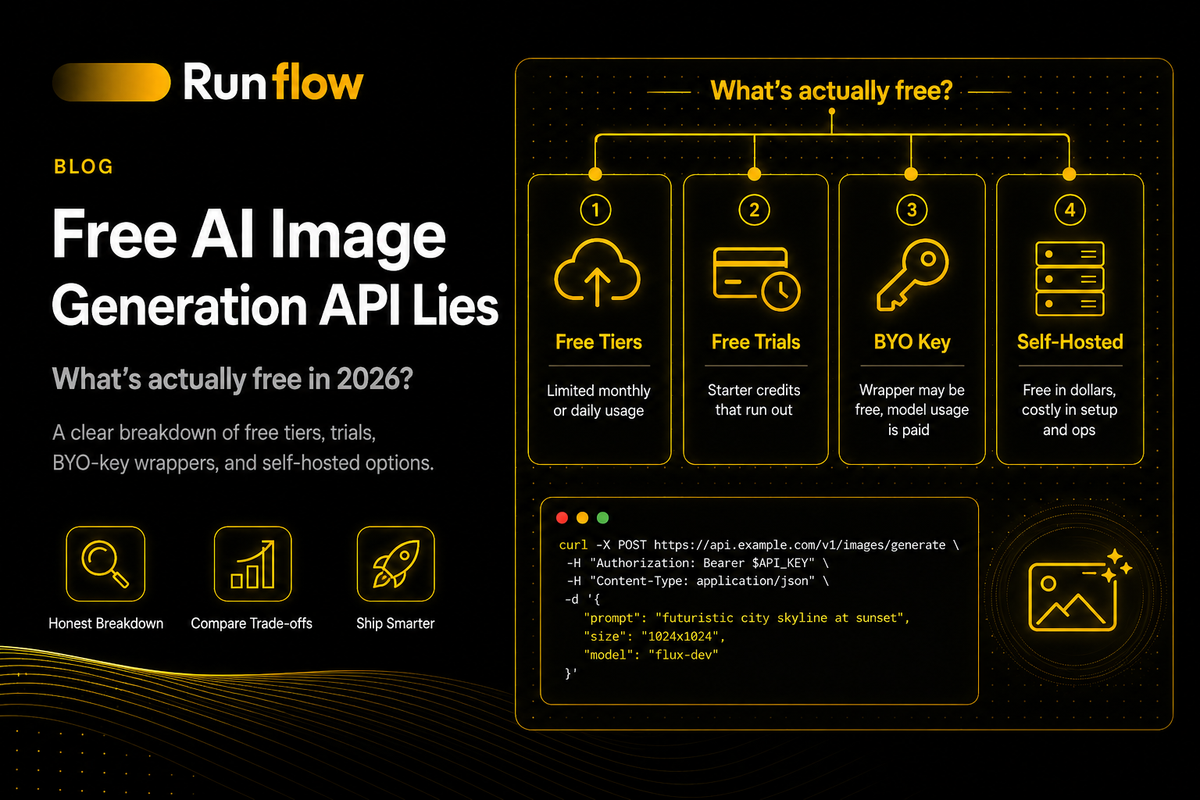
Most 'Free AI Image Generation API' Lists Are Lying to You. Here's What's Actually Free.
Most 'free AI image generation API' articles are misleading. Here's the honest breakdown of what's actually free, what's not, and what to budget if you're shipping.

A YouTuber posts a 30-second video: "Free AI image generation APIs! Bytez, OpenRouter, no payment needed!" The video gets 50,000 views and 200 comments. Half of them say things like "where's the link" and "I'm interested." A handful, buried in the replies, say what's actually true: "It need credit to access bro." "They are not free." "I wish I would have known about this before I wasted 60 USD on api."
That last comment is the one to read. A real developer, real money, real frustration, all because the "free" promise didn't survive contact with the docs.
The same pattern shows up on Reddit. When we ran a scrape across our target ICP a few weeks ago, one of the highest-signal posts was titled "Struggling to build a FREE virtual try-on system for clothing" on r/LocalLLaMA. A developer hitting API limits in real time, looking for a way out. Same story as the YouTube comment: someone trying to ship something real, told the free path exists, finding out it doesn't.
I'm writing this on the Runflow blog, and Runflow charges for usage. We sell a paid routing layer for AI APIs, and our infrastructure processes over 100,000 AI jobs every month across 17 production-validated workflows. So you might reasonably ask why we're publishing an article about what's free. The honest answer: the noise around "free AI image generation APIs" wastes developers' time, and we deal with the downstream of that confusion every week. People spend a weekend chasing a free option, give up, then come find a paid one. The whole detour was avoidable.
This article is the breakdown I wish someone had handed me 18 months ago. What "free" actually means in this category. The five tricks vendors and content creators use to sell something as free when it isn't really. What is actually free if you accept the constraints. And what to budget if you want to skip all of this and just ship.
The lie: what "free AI image generation API" usually means
Watch one of those YouTube videos and notice what isn't said. The creator demos a curl command, an image comes back, and the conclusion is "free, no payment, no credit card."
Here's what got skipped. The "free" tier on the platform they demoed gives you a few requests on small open-source models. The closed-source models (Nano Banana 2, gpt-image-2, Midjourney) require you to bring your own API key from the actual provider, and you pay that provider directly. The free tier on the small open-source models hits a rate limit after a handful of calls. Past that, you pay.
None of that is hidden. The platform's own pricing page says it. The YouTube video just doesn't.
Two patterns are doing most of the damage.
The first is platforms with a $0 tier that's effectively a sandbox, marketed as if it's a production tool. The second is content creators describing a "bring-your-own-key" passthrough service as "free" because the wrapper itself doesn't charge. Both technically fit a definition of "free." Neither lets you actually ship anything to users without paying somebody.
The 60 USD comment in that YouTube thread is the right baseline. People are spending real money chasing an option that doesn't exist in the way the videos describe. The article below is the antidote.
What "free AI image generation API" actually means
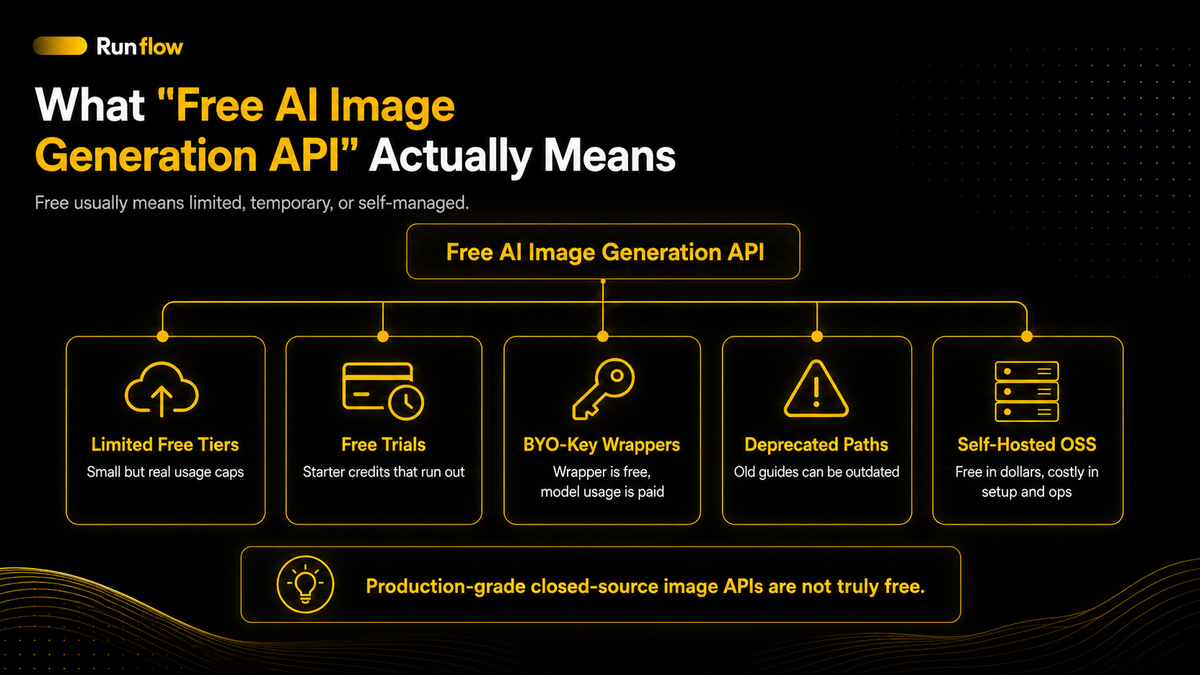
A free AI image generation API is a developer endpoint that lets you generate images programmatically without paying. In 2026, this category has narrowed sharply, and most of what shows up in search results is either a free trial, a sandbox tier, a passthrough wrapper, or a deprecated path that hasn't been removed from old listicles.
The category split that matters:
- Genuinely free production-grade APIs: Effectively don't exist for closed-source models. Every major closed model (gpt-image-2, Nano Banana 2, Imagen, Midjourney) requires payment somewhere in the chain.
- Free tiers with real but limited capacity: Cloudflare Workers AI, Hugging Face Inference Credits, Together AI signup credits. These exist. They have caps. You can build prototypes inside them.
- Free trials disguised as free tiers: Leonardo's $5 starter credit, Replicate's hobby quota. Real, useful, but they end.
- Bring-your-own-key passthrough services: Bytez and similar. The wrapper is free; the model usage is paid by you to the underlying provider.
- Self-hosted open-source models: Free in dollars, costly in setup time, GPU compute, and ops work.
That last category is the only one that's "free" in the sense most YouTube videos imply. And it's not an API anyone hands you. You build it yourself.
The rest of this article walks through how each pattern works, what each one costs in something other than dollars, and what to do if you actually need to ship.
The five tricks used to sell "free" AI image generation APIs
Some of these are deliberate marketing. Some are honest pricing pages misread by content creators. The result is the same: developers think they have a free option, then discover they don't, then waste a weekend.
Trick 1: the "bring your own key" passthrough
A platform exposes a unified API surface for many AI models. You sign up, get an API key from the platform, and start making requests. So far, free.
Then you try to call a closed-source model. The platform asks for that provider's API key, which you bring yourself. Your request goes through the platform's wrapper, but the actual usage cost is billed by the underlying provider directly to you.
Bytez is the cleanest example, and they're upfront about it. Their docs say the platform charges no extra fees for closed-source models, and you're billed directly by the provider based on your key. That's a legitimate technical service. It saves you from integrating five different vendor SDKs. The "free" framing isn't Bytez's fault; their pricing page lays it out clearly.
The framing problem comes from content creators who skip the fine print and tell viewers it's "free." The platform is free. The model usage isn't.
Trick 2: the strangling free tier
A real $0 tier exists. You can sign up, generate a few images, and not pay. Then you hit the wall.
Cloudflare Workers AI gives you a daily neuron budget. Past it, you pay. Hugging Face's Inference Credits give you a monthly allotment of credits, then nothing. Pixazo (and a dozen similar platforms) calls itself "absolutely free" and then specifies "free tier includes a daily generation allowance" without saying what the allowance is.
These tiers are real. They're useful for prototyping, learning, and validating that an integration works. They're not enough to ship a product to paying users. The difference matters because the search results don't usually flag it.
Trick 3: the free trial disguised as a free tier
A platform gives you starter credits. Leonardo gives every new API account $5. Replicate has no free tier at all. It's pay-per-use only, with no monthly fee and no signup credit, so any "Replicate has a free hobby tier" line you see in an old listicle is wrong. Together AI gives new accounts a $1 signup credit, which gets you about 30 image generations on a low-tier model before the meter runs out.
These are trials (or, in Replicate's case, not even that). They're labeled clearly by the providers themselves. They become "free" in YouTube videos because the word triggers more clicks.
A trial is fine. It's the right way to evaluate a paid service. Calling it free in a thumbnail is the part that misleads the people watching.
Trick 4: the deprecated free path
The most common version of stale advice. An article from late 2024 mentions a free Google preview API. The article still ranks. The API was shut down on November 14, 2025.
Google's current image generation pricing pages show "Free Tier: Not available" for Gemini 3 Pro Image and Imagen 4. The old preview path is gone. But search results don't update themselves, and a lot of YouTubers are reading the old listicles instead of checking the current docs.
If a "free" recommendation predates November 2025, verify it before trusting it.
Trick 5: the Cloudflare Workers wrapper
Cloudflare Workers AI has a real free tier. You can deploy a Worker that exposes Stable Diffusion XL behind your own endpoint, free up to 100,000 calls per day. There's a popular GitHub repo (saurav-z/free-image-generation-api) that wraps this into a deployable template.
This is genuinely free and genuinely works. But "deploy your own Cloudflare Worker, configure AI bindings, and manage your own API key" is not what most people picture when they search "free AI image generation API." Most readers are looking for an endpoint they can hit with curl and get an image back. Cloudflare Workers AI is closer to "do it yourself" than to "ready-made API."
Worth knowing. Worth using if you want it. Not what the search query is usually looking for.
A quick walkthrough: the Bytez YouTube story
I want to be specific about Bytez because their YouTube ecosystem is the clearest worked example of how this happens.
Open the comments on any "free AI image generators" video that mentions Bytez. The pattern is consistent. A creator demos the platform. The video gets thousands of views and a wave of "this is a game changer for sure" and "where's the link." Then, weeks later, comments start showing up: "It need credit to access bro." "They are not free." "Most api keys are free, but when you use them, they are limited and you need to pay for more usage." "Most of the closed source models give error 'unauthorized'." That last one is exactly what you'd expect when you try a closed model without bringing your own key.
The platform isn't lying. Their docs explain the model clearly. Their pricing page lists tiers ($0 free, $3 pay-as-you-go, $10 for 35B models, $25 for 70B, $50 for 120B). The 7B open-source models work on the free tier with one concurrent request. Closed-source models require your own provider key. None of this is hidden.
What's happening is a gap between what a YouTuber says in 30 seconds and what a developer discovers in 30 minutes of actually trying it. The platform gets blamed for a story it didn't tell.
The lesson isn't to avoid Bytez. It's to read the pricing page of any "free" platform a YouTuber recommends, before you build anything on top of it.
What's actually free: an honest inventory
If you ignore the noise and focus on what's actually available without paying, the list is shorter than search results suggest. But it's real.
Cloudflare Workers AI free tier
You deploy a Cloudflare Worker, enable Workers AI in your account, and get access to a daily allotment of "neurons" (Cloudflare's compute unit). It covers Stable Diffusion XL, Flux Schnell, and a few other open-source models for image generation.
Free in dollars. Costs you maybe an hour to set up if you've never used Cloudflare Workers, plus the cognitive overhead of managing your own deployment, your own auth, your own rate limits. The 100,000 calls per day claim you'll see in some GitHub READMEs assumes a generous interpretation of how the daily neuron budget translates into image generation calls; in practice, you'll hit the cap sooner on heavier models.
Best for: developers who already know Cloudflare and want a self-managed free path for hobby projects. Bad fit for anyone who wants a curl-and-go endpoint.
Hugging Face Inference Credits
Hugging Face gives you a monthly credit allotment for their Inference API. You can call models like Flux Schnell, Stable Diffusion variants, and a long tail of community models hosted on the Hub.
The credits are small. Enough to test prompts, validate that an integration works, and form an opinion. Not enough to ship a product to users. Past the credits, you pay or you wait until the next month.
Best for: prototype evaluation, learning, comparing model outputs side by side. Don't build a startup on it.
Together AI signup credit
Together gives new accounts $1 in credit. On a low-tier model, that's roughly 30 image generations. On a higher-quality model, fewer.
A trial, not a tier. It's enough to integrate, run a few smoke tests, and decide if you want to pay.
Leonardo's $5 starter credit
Leonardo gives every new API account $5. The pricing page is explicit that all API requests cost credit, so once you spend through it, you're paying.
Better than Together's $1 if you want to build a more substantial prototype before deciding. Same shape: a real trial, treated as such.
Replicate is not free
Worth a separate callout because old listicles get this wrong. Replicate is pay-per-use only. No subscriptions, no monthly fee, no free tier credits. You pay for compute time used, full stop. If a "free APIs" article tells you Replicate has a hobby tier, the article is wrong, and the official pricing page is the proof.
Self-hosted open-source models
The truly free option in the dollars-out sense. You run Stable Diffusion, Flux Schnell, or another open-source model on your own GPU. No API charges, ever.
Costs you everything else. Setup time. GPU rental or hardware. Model storage. Custom node management. Inference orchestration. Rate limiting. Auth. Observability. Failure handling. If you have ML engineering capacity and a real volume need, this is the cheapest per-image option at scale. If you're a solo developer trying to ship something this weekend, it's the wrong path.
We covered the operational reality of self-hosting in a separate ComfyUI deployment guide for anyone going that route. The short version: free in dollars, expensive in time.
The honest math: what "free" actually costs
Every free option in the inventory above has a cost denomination. It's just not always dollars.
Setup time. Cloudflare Workers needs an account, a Worker deployed, AI bindings configured, an API key system you build yourself. Maybe an hour the first time, less every time after. Self-hosting needs a lot more.
Rate limits. Free tiers are designed to support evaluation, not production. The cap is the product. Push concurrency and you'll hit it.
Model quality compromises. Most free tiers expose smaller open-source models. Flux Schnell at the free tier doesn't equal Flux Pro at the paid tier. Stable Diffusion 1.5 doesn't equal SDXL at full settings. The output quality difference is real and visible.
Geographic and feature restrictions. Some free tiers route through specific regions or omit features (4K output, image edit endpoints, mask handling) that paid tiers expose.
Retention and training policies. Some free tiers retain inputs longer or use them to improve their models. For consumer apps where user trust is part of the product, this matters.
Operational burden. Self-hosting means you own everything. Cold starts, model caching, GPU memory management, queue depth, retry logic, security. Free in dollars, expensive in your weekend.
A useful exercise: take the option you're considering and write down the cost in time and compromises. If it ends up larger than 5 to 10 USD per month of paid usage, you're paying more than the paid path. The 60 USD comment from the YouTube thread is what happens when a developer doesn't run that math early.
When free is the right answer
Free options aren't a trap. They're a tool. Used right, they save you money on things that don't justify spending. Used wrong, they cost you a weekend and you end up paying anyway.
Free is the right answer when:
- You're learning. Validating that you understand an API. Reading the response shape. Forming an opinion on the model.
- You're prototyping for yourself. A hobby project. A weekend build. Something that won't have users beyond you.
- You're evaluating whether to commit. The Hugging Face or Leonardo trial gives you enough signal.
- You're self-hosting at high volume and you have ML engineering capacity.
Free is the wrong answer when:
- You're shipping to users. Paying users especially. The free tier rate limits will fail at the worst time.
- You need predictable latency or quality. Free tiers are best-effort.
- You're building anything you want to scale. Migrating off a free tier mid-growth is harder than starting on a paid tier from day one.
- Your team's time is worth more than 5 to 10 USD per 1,000 images. For most teams reading this, it is.
If you're in the wrong-answer column and you've been chasing free, the smarter move is to stop. The right paid options are cheaper than you think.
What to budget if you're shipping something real
Concrete numbers for what production image generation actually costs in 2026.
OpenAI's gpt-image-2 starts at about $0.01 per image at low quality (1024×768) and goes up to $0.41 at high quality (4K). For most product use cases, mid-tier (medium quality 1024×1024) lands around $0.10 per image. At 1,000 images per month, you're looking at roughly $100. We covered the gpt-image-2 provider landscape in detail in our GPT image API article.
Google's Nano Banana 2 (the Gemini 3.1 Flash Image model) starts at about $0.04 per image at 1K resolution through Vertex AI direct. At 1,000 images per month, around $40. Live reliability data and provider comparisons are in our Nano Banana API benchmarks.
Stable Diffusion XL through providers like Replicate, Together, or Fal runs roughly $0.001 to $0.01 per image depending on settings and provider. At 1,000 images per month, $1 to $10.
Flux Schnell through similar providers runs even lower, often $0.003 per image or less for the schnell (fast) variant.
The 60 USD comment from earlier is preventable. That same 60 USD covers about 600 gpt-image-2 mid-tier images, or about 1,500 Nano Banana 2 images, or 6,000+ SDXL images. For most projects, that's more than you need.
The trap of "free" is the assumption that any payment is too much. For hobby and learning, fine. For shipping a real product, paid is almost always cheaper than free, once you account for time.
What to do this weekend
If you came to this article looking for a free AI image generation API for a weekend project, here's the honest path:
- Pick what you're actually trying to do. Learning the API shape and reading responses? Use Hugging Face Inference Credits or Cloudflare Workers AI. Building a prototype to show someone? Use Leonardo's $5 credit or Together's $1. Shipping something to users? Skip the free tier and use paid from day one.
- Read the provider's pricing page yourself. Do not trust YouTube. Do not trust listicles. The pricing page is the source of truth.
- Verify the date on any "free API" recommendation. If it predates November 2025, assume it's outdated. Google's preview path got shut down then, and a lot of stale advice still cites it.
- If you're going paid, start with one provider and one model. Don't fan out across five APIs to save 0.5 cents per image. Operational complexity compounds.
- Budget 5 to 10 USD for the first month. That's enough to ship a real prototype on any paid model. Not coincidentally, it's the size of the signup credit we hand out at Runflow, because it's the amount that actually gets you off the ground. Less than the cost of one bad weekend chasing free.
FAQ
Is there a truly free AI image generation API in 2026?
Not in the production sense. The credible free options are sandbox tiers (Cloudflare Workers AI, Hugging Face credits), trial credits ($5 from Leonardo, $1 from Together), or self-hosted open-source models on your own GPU. None of them produce gpt-image-2 or Nano Banana 2 quality output for free, because closed-source models all charge somewhere in the chain.
Is Bytez actually a free AI image API?
Bytez has a free tier for small open-source models (7B parameter range) with one concurrent request, and a "bring your own key" model for closed-source providers where you pay the underlying provider directly. The platform itself doesn't charge for closed-model passthrough. So "free" depends on what you're trying to call. The platform's own pricing page is clear about this. The "free" framing in YouTube videos and TikToks oversimplifies it.
What's the cheapest paid AI image generation API?
Stable Diffusion XL and Flux Schnell through providers like Replicate, Together, or Fal cost roughly $0.001 to $0.01 per image, which is meaningfully cheaper than closed-source models like gpt-image-2 or Nano Banana 2. If you don't need top-tier quality, open-source models on a paid provider are the budget-friendly path.
Can I use Hugging Face for free image generation?
Yes, with caveats. Hugging Face Inference Credits give you a monthly allotment that covers small workloads and prototyping. Past the allotment, you pay. The credits are not enough to ship a product to paying users.
Why do YouTubers keep recommending "free" APIs that aren't really free?
A few reasons. The platforms themselves have free or freemium tiers, so the technical claim "you can sign up and try it without paying" is true. The framing skips the part where production usage requires payment. Some creators don't read the pricing page carefully. Some prioritize the click-through rate of "free" over accuracy. The result is the same: viewers who try to ship on the recommended platform discover the catch, often after spending money.
What did the Google free image generation API actually do?
Google previously offered a free tier on gemini-2.0-flash-preview-image-generation. That preview path was shut down on November 14, 2025. Current Google image models (Gemini 3 Pro Image, Imagen 4) have no free tier per Google's official pricing pages. If you see an article citing the old preview, it's outdated.
Is OpenRouter a free AI image generation API?
OpenRouter is a unified API broker that exposes models from many providers behind one endpoint. They take a small platform fee on top of the underlying provider's pricing. There's no genuine free tier for image generation; you pay the provider plus a small markup. It's a useful tool for accessing many models, not a free path.
Can I generate AI images for free without an API?
Yes, plenty of consumer products offer free generation through their web UIs (ChatGPT, Gemini, Microsoft Copilot, Bing Image Creator, and others) with various rate limits and watermarks. These are not APIs. You can't call them programmatically from your application. They're fine for personal use, useless for product integration.
How do I avoid wasting money chasing free APIs?
Three habits. First, read the pricing page of any platform a creator recommends before signing up, and look specifically for what closed-source models cost. Second, treat "free trial" credits as trials, not as a free tier; budget for the day they run out. Third, if you're shipping a real product, start with paid from day one; the time you'd spend integrating and migrating off a free tier is worth more than the savings.
Are there free AI image APIs I missed in this article?
Probably. The space changes weekly. The patterns described above (passthrough, strangling tiers, trials, deprecated paths, self-host wrappers) cover most of what you'll encounter, but new providers launch constantly. Apply the same test: read their pricing page yourself, verify what's actually free vs marketed as free, and check whether closed-source models pass through your wallet somewhere.
What's the right paid budget for a hobby project?
$5 to $10 per month covers a useful amount of generation on most paid providers. That's about 50 to 100 mid-quality gpt-image-2 images, or 500 to 1,000 Stable Diffusion XL images, or somewhere in between depending on the model. More than enough for a weekend build that you actually ship.
Where should I go next if I want to skip all this?
Two paths. If you want the highest-quality model and don't mind paying, gpt-image-2 through OpenAI direct is the cleanest start (we covered the provider landscape here). If you want fast and cheap with very good quality, Nano Banana 2 through Vertex AI direct is hard to beat (live reliability data is in our Nano Banana benchmarks). Both will save you the weekend you'd lose chasing free.
Where to go from here
The "free AI image generation API" search query is a trap, but it's not malicious. It's the natural question a developer asks when they want to build something without committing money upfront. The answer just isn't what most search results promise.
If you're learning, prototyping for yourself, or evaluating, the free options in this article are real and useful. Use Hugging Face credits, Cloudflare Workers AI, or Leonardo's starter credit. They'll get you to "I understand how this works" within an afternoon.
If you're shipping anything to users, skip the free hunt and go paid. The cents per image add up to less than you think. The provider you'd actually pick (gpt-image-2 for quality, Nano Banana 2 for speed and cost, Stable Diffusion XL for max budget efficiency) is documented in detail in the linked articles above.
The 60 USD comment from the YouTube thread is the warning sign. That developer wasn't wasteful. He was misled. The fix isn't to chase a better free option; it's to recognize that paid was the right answer from the start, and the dollar amount was always going to be smaller than the time spent chasing free.
Want custom benchmarks for your workload?
We'll run our evaluation pipeline against your production data, for free.
Talk to Founders