Every ComfyUI API Endpoint, Documented (2026)
Every ComfyUI API endpoint documented: REST and WebSocket routes, payload shapes, responses, error handling, and working examples. The complete 2026 reference.

ComfyUI's API surface is small enough to memorize, but you wouldn't know it from the documentation. The official docs cover the WebSocket message format and a partial list of routes. Every other ranking page is a vendor tutorial that mentions the four or five endpoints needed for that vendor's deployment. Nobody has written the page that just lists every endpoint, with payloads, responses, errors, and "when to use this" guidance for each.
This is that page. It's the canonical reference for ComfyUI's complete API endpoint surface as of 2026, organized by category, with request and response shapes, working code in three languages, error responses, and notes on which endpoints behave differently behind a reverse proxy.
The notes on production behavior — what breaks under load, which endpoints get called more than you'd expect, where managed platforms diverge from vanilla — come from running these endpoints at scale. Our own infrastructure at Runflow processes over 100,000 AI jobs every month across 17 production-validated ComfyUI workflows, and the production callouts in this reference are what survived contact with that traffic.
If you're building an integration and want to know what's available, this is the bookmark. If you want the conceptual guide to how the API works end-to-end, the complete guide to the ComfyUI API covers that. If you're trying to decide where to host ComfyUI, the ComfyUI deployment guide covers that.
What Are ComfyUI's API Endpoints?
ComfyUI's API endpoints are the HTTP routes and the single WebSocket channel exposed by the ComfyUI server (built on aiohttp and serving on port 8188 by default) that let any client submit workflows, manage the execution queue, upload and retrieve files, introspect the node catalogue, and receive real-time execution events.
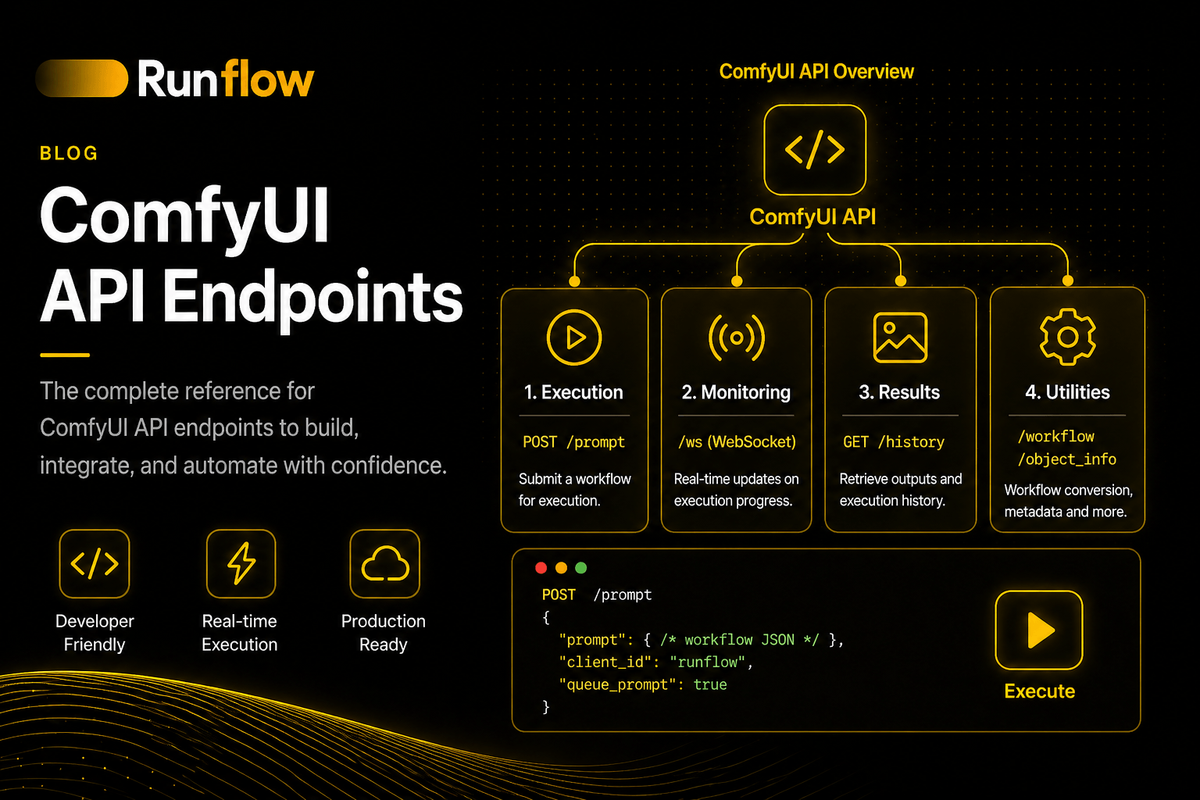
There are roughly 20 native endpoints, organized into four categories:
- Workflow execution (
/prompt,/queue,/history,/interrupt) - File operations (
/upload/image,/upload/mask,/view) - System and introspection (
/object_info,/system_stats,/embeddings,/extensions,/models/{type},/free) - Real-time (
/ws, one URL with multiple message types)
Two endpoints do most of the work in any real integration: POST /prompt (submit a workflow) and GET /history/{prompt_id} (retrieve results). The rest are supporting infrastructure you reach for as needed.
The endpoints below describe the native ComfyUI server. Several popular forks and wrappers (Salad's comfyui-api, RunPod's worker-comfyui, BentoML's comfy-pack, Comfy Deploy, and the Runflow ComfyUI plugin) add or replace endpoints. Those deltas are noted in a separate section near the end.
The Complete Endpoint Catalog at a Glance
| Endpoint | Method | Category | Purpose |
|---|---|---|---|
| /prompt | POST | Execution | Submit a workflow for execution |
| /prompt | GET | Execution | Get current queue state |
| /queue | GET | Execution | Detailed queue view (running + pending) |
| /queue | POST | Execution | Delete items from queue or clear it |
| /interrupt | POST | Execution | Cancel currently executing workflow |
| /history | GET | Execution | Full execution history |
| /history/{prompt_id} | GET | Execution | Results for a specific prompt |
| /history | POST | Execution | Clear the history |
| /upload/image | POST | Files | Upload an image to the input directory |
| /upload/mask | POST | Files | Upload a mask associated with an image |
| /view | GET | Files | Retrieve an image by filename |
| /object_info | GET | System | Full node catalogue |
| /object_info/{node_class} | GET | System | Schema for one node class |
| /system_stats | GET | System | Server info: Python, CUDA, VRAM |
| /embeddings | GET | System | List installed text embeddings |
| /extensions | GET | System | List loaded custom node extensions |
| /models/{type} | GET | System | List available models of a type |
| /free | POST | System | Free VRAM, unload models |
| /ws | WebSocket | Real-time | Execution events, progress, previews |
This is the complete surface for the vanilla server. Each endpoint is documented in detail below.
Workflow Execution Endpoints
The five endpoints in this category are the ones you'll touch in every integration. Submission, queue management, cancellation, and history retrieval all live here.
POST /prompt
The /prompt endpoint submits a workflow for execution. It returns a prompt_id that identifies the run, which you then use to retrieve results from /history/{prompt_id} or to correlate WebSocket events.
| Method | POST |
| Path | /prompt |
| Auth | None (server default) |
| Content-Type | application/json |
When to use: Every time you want ComfyUI to run a workflow. This is the primary entry point.
Request:
curl -X POST http://localhost:8188/prompt \
  -H "Content-Type: application/json" \
  -d '{
    "prompt": { ... workflow JSON in API format ... },
    "client_id": "uuid-for-websocket-correlation"
  }'
Request body fields:
prompt(required): The workflow in API format. Keys are node IDs, values containclass_typeandinputs.client_id(optional but recommended): A UUID. Use the same UUID on your WebSocket connection so events route to you.extra_data(optional): Arbitrary metadata. Useful for embedding workflow info into saved PNGs.front(optional): Iftrue, inserts the job at the front of the queue.number(optional): Execution priority number.
Response (success):
{
  "prompt_id": "a3f9e2b1-4c5d-4e6f-8a9b-0c1d2e3f4a5b",
  "number": 3,
  "node_errors": {}
}
Response (validation failure):
{
  "error": {
    "type": "prompt_outputs_failed_validation",
    "message": "Prompt outputs failed validation"
  },
  "node_errors": {
    "4": {
      "errors": [{
        "type": "value_not_in_list",
        "message": "Value not in list: ckpt_name: 'nonexistent.safetensors'"
      }],
      "class_type": "CheckpointLoaderSimple"
    }
  }
}
Validation runs before the workflow enters the queue. Missing models, invalid input types, or unknown node classes return a 400 with node_errors keyed by node ID. Surface these to your callers; do not retry blindly.
Python:
import json, uuid, urllib.request

CLIENT_ID = str(uuid.uuid4())

def queue_prompt(workflow: dict) -> str:
    payload = {"prompt": workflow, "client_id": CLIENT_ID}
    req = urllib.request.Request(
        "http://localhost:8188/prompt",
        data=json.dumps(payload).encode(),
        headers={"Content-Type": "application/json"},
    )
    with urllib.request.urlopen(req) as resp:
        return json.loads(resp.read())["prompt_id"]
See also: /history/{prompt_id} to fetch results, /ws for real-time events.
GET /prompt
The GET form of /prompt returns the current queue state: how many items are running and how many are pending.
| Method | GET |
| Path | /prompt |
| Auth | None |
When to use: Lightweight health check or queue-depth probe. Most production systems prefer /queue for richer detail, but this endpoint is faster.
Request:
curl http://localhost:8188/promptResponse:
{
  "exec_info": {
    "queue_remaining": 3
  }
}
See also: /queue for the detailed queue contents.
GET /queue
GET /queue returns the detailed queue state: arrays of currently running prompts and pending prompts, each with its full payload.
| Method | GET |
| Path | /queue |
| Auth | None |
When to use: When you need to see exactly what's running and what's queued, including the workflow JSON of each pending item. Useful for queue dashboards and admin UIs.
Response:
{
  "queue_running": [
    [3, "prompt-id-running", { ...workflow... }, { ...extra_data... }, ["output_node_id"]]
  ],
  "queue_pending": [
    [4, "prompt-id-pending", { ...workflow... }, { ...extra_data... }, ["output_node_id"]]
  ]
}
Each item is a tuple of [number, prompt_id, prompt, extra_data, outputs_to_execute].
See also: POST /queue to clear or delete items.
POST /queue
POST /queue deletes items from the queue or clears the entire queue.
| Method | POST |
| Path | /queue |
| Auth | None |
| Content-Type | application/json |
When to use: Removing specific pending workflows by ID, or wiping the queue during testing or recovery.
Request (delete specific items):
curl -X POST http://localhost:8188/queue \
  -H "Content-Type: application/json" \
  -d '{"delete": ["prompt-id-1", "prompt-id-2"]}'
Request (clear all pending):
curl -X POST http://localhost:8188/queue \
  -H "Content-Type: application/json" \
  -d '{"clear": true}'
Response: Empty body, status 200.
Note: This affects only pending items. To stop the currently running workflow, use /interrupt.
POST /interrupt
POST /interrupt cancels the workflow currently being executed. Pending items in the queue are unaffected and continue.
| Method | POST |
| Path | /interrupt |
| Auth | None |
When to use: Implementing a "cancel" button in your UI, or aborting workflows that exceed your application timeout.
Request:
curl -X POST http://localhost:8188/interruptResponse: Empty body, status 200.
Caveat: Interrupt is best-effort. The currently executing node may complete before the interrupt takes effect. Your WebSocket will receive an execution_interrupted event when cancellation is confirmed.
GET /history
GET /history returns the full execution history of completed (and failed) workflows on this server, keyed by prompt_id.
| Method | GET |
| Path | /history |
| Auth | None |
When to use: Recovery scenarios where you've lost track of prompt_id values, or admin tools that show recent executions. Most integrations prefer /history/{prompt_id} for direct lookups.
Response:
{
  "a3f9e2b1-...": {
    "prompt": [3, "a3f9e2b1-...", { ...workflow... }, ...],
    "outputs": {
      "9": { "images": [{"filename": "out.png", "subfolder": "", "type": "output"}] }
    },
    "status": { "status_str": "success", "completed": true, "messages": [...] }
  }
}
Performance note: History accumulates without bound. Periodically clear it with POST /history in long-lived deployments.
GET /history/{prompt_id}
GET /history/{prompt_id} returns the result and metadata for a single execution by ID. Empty object if the prompt hasn't completed yet.
| Method | GET |
| Path | /history/{prompt_id} |
| Auth | None |
When to use: The standard way to retrieve outputs after submitting a workflow. Either call this after a WebSocket completion event, or poll it (every 2–3 seconds) if you can't hold a WebSocket.
Request:
curl http://localhost:8188/history/a3f9e2b1-4c5d-4e6f-8a9b-0c1d2e3f4a5bResponse (completed):
{
  "a3f9e2b1-...": {
    "prompt": [...],
    "outputs": {
      "9": {
        "images": [{ "filename": "out.png", "subfolder": "", "type": "output" }]
      }
    },
    "status": { "status_str": "success", "completed": true }
  }
}
Response (not yet complete or unknown ID):
{}Check for the prompt_id as a key in the response, not just for a truthy value. Empty {} is the no-data signal.
See also: /view to fetch the actual image bytes referenced in outputs.
POST /history
POST /history clears the execution history. Useful in long-running deployments where history accumulation becomes a memory concern.
| Method | POST |
| Path | /history |
| Auth | None |
| Content-Type | application/json |
Request:
curl -X POST http://localhost:8188/history \
  -H "Content-Type: application/json" \
  -d '{"clear": true}'
Response: Empty body, status 200.
File Operation Endpoints
Workflows that consume images (img2img, ControlNet, inpainting, face swap, video conditioning) need a way to get those images onto the server. Workflows that produce images need a way to get them off. The three endpoints here cover both directions.
POST /upload/image
POST /upload/image accepts a multipart/form-data upload and stores the file in ComfyUI's input directory, making it available to LoadImage nodes in subsequent workflows.
| Method | POST |
| Path | /upload/image |
| Auth | None |
| Content-Type | multipart/form-data |
When to use: Anytime your workflow has a LoadImage node and you need to provide the source image programmatically.
Request fields:
image(required): The file.type(optional): One ofinput,temp,output. Defaults toinput.subfolder(optional): Subdirectory inside the type directory. Useful for multi-tenant isolation.overwrite(optional):"true"or"1"to replace an existing file with the same name.
Request:
curl -X POST http://localhost:8188/upload/image \
  -F "image=@./input.png" \
  -F "type=input" \
  -F "subfolder=user_42" \
  -F "overwrite=true"
Response:
{
  "name": "input.png",
  "subfolder": "user_42",
  "type": "input"
}
Use name (and subfolder if you used one) in the LoadImage node's image field. If a subfolder was used, reference the file as f"{subfolder}/{name}".
Behavior note: ComfyUI does hash-based duplicate detection. Uploading identical bytes twice returns the existing filename instead of writing a duplicate.
Production note: In multi-tenant deployments, always namespace uploads by tenant from the first request. The vanilla input/ directory is shared across every workflow on that ComfyUI instance, and once user content lands there flat, retrofitting isolation is painful. Managed platforms that build dynamic per-workflow containers (Runflow's deployment model is this) sidestep the shared-input-directory problem because each workflow gets its own filesystem; on self-hosted setups, enforce subfolder isolation in your wrapper layer.
Python:
from requests_toolbelt.multipart.encoder import MultipartEncoder
import urllib.request, json

def upload_image(path: str, subfolder: str = "") -> dict:
    with open(path, "rb") as f:
        enc = MultipartEncoder({
            "image": (path.split("/")[-1], f, "image/png"),
            "type": "input",
            "subfolder": subfolder,
            "overwrite": "true",
        })
        req = urllib.request.Request(
            "http://localhost:8188/upload/image",
            data=enc.to_string(),
            headers={"Content-Type": enc.content_type},
        )
        with urllib.request.urlopen(req) as r:
            return json.loads(r.read())
POST /upload/mask
POST /upload/mask uploads a mask image associated with a previously uploaded image, used for inpainting workflows. The mask is composited with the original's alpha channel.
| Method | POST |
| Path | /upload/mask |
| Auth | None |
| Content-Type | multipart/form-data |
When to use: Inpainting workflows where the mask defines which regions to regenerate.
Request fields:
- All fields from
/upload/image, plus: original_ref(required): JSON-encoded reference to the image the mask applies to. Format:{"filename": "...", "subfolder": "...", "type": "input"}
Request:
curl -X POST http://localhost:8188/upload/mask \
  -F "image=@./mask.png" \
  -F "type=input" \
  -F "original_ref={\"filename\":\"input.png\",\"subfolder\":\"\",\"type\":\"input\"}"
Response: Same shape as /upload/image.
Behavior note: The mask is composited into the original's alpha channel during upload. The original's PNG metadata is preserved.
GET /view
GET /view retrieves an image by filename, subfolder, and folder type. This is how you fetch outputs after a workflow completes.
| Method | GET |
| Path | /view |
| Auth | None |
When to use: Pulling generated images off the server. Read the outputs block from /history/{prompt_id}, then call /view for each image.
Query parameters:
filename(required): The image filename.subfolder(optional): The subfolder inside the type directory.type(optional): One ofinput,temp,output. Defaults tooutput.preview(optional): For preview generation in the UI; rarely needed in API integrations.channel(optional): For viewing specific channels of multi-channel images.
Request:
curl "http://localhost:8188/view?filename=out.png&subfolder=&type=output" \
  -o downloaded.png
Response: Raw image bytes with appropriate Content-Type (typically image/png).
Production note: Don't serve /view directly to your end users. The endpoint has no auth and exposes any file in the configured type directories. The pattern that works at scale: pull images via your backend immediately on completion, score them through an automated quality layer (Sentinel or your own CLIP + face-fidelity stack), upload only what passes to tenant-scoped object storage, and serve signed URLs. Generating more candidates than you deliver — the BetterPic pattern of 240 generated, 60 delivered — is the move that makes that scoring layer worth its margin.
System and Introspection Endpoints
These endpoints let you query what the server can do, what's installed, and how to clean up. The first two are essential for any integration that builds workflows programmatically. The rest are operational.
GET /object_info
GET /object_info returns the complete node catalogue: every node class registered on this server, with its inputs, outputs, defaults, and metadata.
| Method | GET |
| Path | /object_info |
| Auth | None |
When to use: Building workflows programmatically (without a UI), validating workflows before submission, dynamically generating UIs that mirror node options, or detecting whether specific nodes are installed.
This is the most underused endpoint in ComfyUI. Most tutorials skip it because they assume readers will export workflow JSON from the canvas. Anyone building a SaaS on top of ComfyUI ends up here within a week.
Response (truncated):
{
  "KSampler": {
    "input": {
      "required": {
        "model": ["MODEL"],
        "seed": ["INT", { "default": 0, "min": 0, "max": 18446744073709551615 }],
        "steps": ["INT", { "default": 20, "min": 1, "max": 10000 }],
        "cfg": ["FLOAT", { "default": 8.0, "min": 0.0, "max": 100.0 }],
        "sampler_name": [["euler", "euler_ancestral", "heun", ...]],
        "scheduler": [["normal", "karras", "exponential", ...]],
        "denoise": ["FLOAT", { "default": 1.0, "min": 0.0, "max": 1.0 }],
        "positive": ["CONDITIONING"],
        "negative": ["CONDITIONING"],
        "latent_image": ["LATENT"]
      }
    },
    "output": ["LATENT"],
    "output_is_list": [false],
    "name": "KSampler",
    "display_name": "KSampler",
    "description": "",
    "category": "sampling"
  },
  "CheckpointLoaderSimple": { ... },
  "LoadImage": { ... }
}
Response size: Tens of MB on a fully-loaded server with many custom nodes. Cache it. Don't call it on every request.
Python:
import urllib.request, json

def get_node_catalogue() -> dict:
    with urllib.request.urlopen("http://localhost:8188/object_info") as r:
        return json.loads(r.read())

catalogue = get_node_catalogue()
ksampler_schema = catalogue["KSampler"]
print(ksampler_schema["input"]["required"])
See also: /object_info/{node_class} for a single-node lookup.
GET /object_info/{node_class}
GET /object_info/{node_class} returns the schema for one node class, useful when you need just one node's input/output shape without fetching the full catalogue.
| Method | GET |
| Path | /object_info/{node_class} |
| Auth | None |
When to use: Single-node lookups, validating a specific node's options, or inspecting a custom node's schema during integration.
Request:
curl http://localhost:8188/object_info/KSamplerResponse: A single-key object identical in shape to one entry from /object_info.
Behavior note: Returns 404 for unknown node classes. Useful for detecting whether a custom node is installed.
GET /system_stats
GET /system_stats returns server runtime info: Python version, OS, CUDA availability, VRAM totals, and the device list.
| Method | GET |
| Path | /system_stats |
| Auth | None |
When to use: Health checks, capacity planning, debugging GPU configuration issues, or surfacing server info in admin dashboards.
Response:
{
  "system": {
    "os": "Linux",
    "python_version": "3.11.6",
    "embedded_python": false
  },
  "devices": [{
    "name": "cuda:0 NVIDIA A100-SXM4-80GB",
    "type": "cuda",
    "index": 0,
    "vram_total": 85899345920,
    "vram_free": 78213562368,
    "torch_vram_total": 85899345920,
    "torch_vram_free": 78213562368
  }]
}
Production use: A 200 from this endpoint is a reasonable liveness probe. The body tells you whether the server has GPU access.
GET /embeddings
GET /embeddings returns a list of installed text embedding files (Textual Inversion embeddings).
| Method | GET |
| Path | /embeddings |
| Auth | None |
When to use: Building UIs that let users select embeddings, or validating that a referenced embedding exists before submission.
Response:
["my_embedding", "char_ti", "style_ti"]The names returned correspond to files in models/embeddings/ (without extensions).
GET /extensions
GET /extensions returns the list of loaded custom node extensions, expressed as URLs to their JS frontend files.
| Method | GET |
| Path | /extensions |
| Auth | None |
When to use: Detecting which custom node packs are installed and active, or driving UIs that mirror loaded extensions.
Response:
[
  "/extensions/ComfyUI-Impact-Pack/impact-pack.js",
  "/extensions/ComfyUI-Manager/comfyui-manager.js"
]
This lists the frontend JS files. To enumerate Python-side custom nodes, inspect /object_info for class names that don't belong to the core set.
GET /models/{type}
GET /models/{type} returns the list of available model files of a given type (checkpoints, LoRAs, VAEs, ControlNets, embeddings, upscalers).
| Method | GET |
| Path | /models/{type} |
| Auth | None |
When to use: Building UIs that let users pick from installed models, or validating that a workflow's model references exist on the server.
Valid type values (depend on server configuration):
checkpointslorasvaecontrolnetembeddingsupscale_modelsclipclip_visionstyle_modelsunetdiffusion_models
Request:
curl http://localhost:8188/models/checkpointsResponse:
["sd_xl_base_1.0.safetensors", "flux1-dev.safetensors", "sdxl/realvis.safetensors"]Behavior note: Folder structure is preserved. A model in models/checkpoints/sdxl/ appears as sdxl/file.safetensors.
POST /free
POST /free unloads models from VRAM and frees GPU memory, optionally also clearing model cache.
| Method | POST |
| Path | /free |
| Auth | None |
| Content-Type | application/json |
When to use: Recovering from CUDA out-of-memory errors, switching between large workflows on a memory-constrained GPU, or implementing graceful idle behavior.
Request:
curl -X POST http://localhost:8188/free \
  -H "Content-Type: application/json" \
  -d '{"unload_models": true, "free_memory": true}'
Request fields:
unload_models(optional): Iftrue, unloads loaded models from memory.free_memory(optional): Iftrue, calls Python GC and CUDAempty_cache.
Response: Empty body, status 200.
Production pattern: Call this after CUDA OOM events before retrying. Don't call it between every workflow; you'll lose the model cache and pay full cold-start cost on the next run. The more robust pattern at scale is workflow isolation rather than VRAM thrashing — give each workflow its own warm worker so two heavyweight pipelines never compete for the same VRAM. Managed platforms with dynamic per-workflow containers handle this automatically; on self-hosted setups, route distinct workflow types to dedicated worker pools.
The Real-Time WebSocket Endpoint
ComfyUI exposes a single WebSocket URL that streams execution events, sampler progress, preview images, and queue state changes. It's not a REST endpoint, but it's part of the API surface every real integration uses.
WebSocket /ws
WebSocket /ws is a bidirectional channel that pushes execution status events, per-node progress, completion notifications, preview images, and queue state changes from the server to the client.
| Protocol | WebSocket |
| Path | /ws |
| Auth | None |
| Query | clientId (recommended) |
When to use: User-facing products that show progress, real-time UIs, long-running workflows where polling latency is unacceptable.
Connection:
ws://localhost:8188/ws?clientId=<your-uuid>The clientId must match the client_id you send with POST /prompt for events to route to you specifically. Without it, you receive broadcast events for all clients.
Message types reference
The server sends two kinds of messages: JSON status messages and binary preview frames.
JSON message types
| Type | Sent when | Key fields |
|---|---|---|
| status | Queue state changes | data.status.exec_info.queue_remaining |
| execution_start | A specific prompt begins executing | data.prompt_id |
| execution_cached | A node was skipped because cached | data.nodes, data.prompt_id |
| executing | A node started, or node: null = done | data.node, data.prompt_id |
| progress | Per-node progress (samplers) | data.value, data.max, data.node |
| executed | A node finished and produced outputs | data.node, data.output, data.prompt_id |
| execution_error | Something failed | data.exception_message, data.prompt_id |
| execution_interrupted | A workflow was cancelled | data.prompt_id, data.node_id |
Completion signal
A workflow is complete when you receive executing with data.node = null and data.prompt_id matching the one you submitted. This is the single most important event to handle.
if data["type"] == "executing":
    d = data["data"]
    if d["node"] is None and d["prompt_id"] == my_prompt_id:
        # done
        ...
Binary frames (preview images)
Binary WebSocket messages carry preview images during sampling. The format is a 4-byte event header followed by a 4-byte image format header, then PNG bytes. Most integrations ignore these; UIs that show generation previews decode them.
msg = ws.recv()
if isinstance(msg, str):
    # JSON status
    data = json.loads(msg)
else:
    # Binary preview frame
    pass
Canonical Python WebSocket pattern
import json, uuid, websocket

CLIENT_ID = str(uuid.uuid4())
ws = websocket.WebSocket()
ws.connect(f"ws://localhost:8188/ws?clientId={CLIENT_ID}")

def wait_for(prompt_id: str):
    while True:
        msg = ws.recv()
        if isinstance(msg, str):
            data = json.loads(msg)
            if data["type"] == "executing":
                d = data["data"]
                if d["node"] is None and d["prompt_id"] == prompt_id:
                    return
            elif data["type"] == "execution_error":
                raise RuntimeError(data["data"])
        # binary preview frames are ignored here
This pattern, plus POST /prompt and GET /history/{prompt_id}, covers 90% of real integrations.
Endpoints by Use Case
Different integration patterns call different subsets. The cheat sheet:
| If you want to... | Call these endpoints |
|---|---|
| Run a workflow and get the result | POST /prompt → GET /history/{prompt_id} → GET /view |
| Run a workflow with live progress | WebSocket /ws + POST /prompt + GET /view |
| Upload an image first | POST /upload/image → patch workflow → POST /prompt |
| Inpaint a region | POST /upload/image → POST /upload/mask → POST /prompt |
| Build workflows dynamically | GET /object_info (cached) → construct JSON → POST /prompt |
| Show queue status | GET /queue (or GET /prompt for lightweight) |
| Cancel a running workflow | POST /interrupt |
| Cancel pending items | POST /queue with {"delete": [...]} |
| Recover from OOM | POST /free then retry POST /prompt |
| Verify a model is installed | GET /models/{type} |
| Verify a custom node is installed | GET /object_info/{node_class} (404 if missing) |
| Health-check the server | GET /system_stats |
Common Error Responses
ComfyUI's error semantics are mostly consistent. The shapes worth knowing:
Validation errors (POST /prompt)
Status 400, body:
{
  "error": { "type": "...", "message": "..." },
  "node_errors": {
    "<node_id>": {
      "errors": [{ "type": "...", "message": "..." }],
      "class_type": "..."
    }
  }
}
These never resolve on retry. Surface them to your caller.
Execution errors (via WebSocket)
JSON message with type: "execution_error":
{
  "type": "execution_error",
  "data": {
    "prompt_id": "...",
    "node_id": "3",
    "node_type": "KSampler",
    "exception_message": "CUDA out of memory",
    "exception_type": "torch.OutOfMemoryError",
    "traceback": [...]
  }
}
CUDA OOM is the common case. Call POST /free and retry. Other exception types should be classified before retrying. At production volumes, the more durable pattern is multi-provider routing — when a job fails on one provider, replay it transparently on another (the three-tier setup of a primary, a cost-optimization layer, and a reliability fallback is what most managed ComfyUI platforms, Runflow included, run internally). That hides transient provider failures from your callers entirely.
Resource not found
GET /history/{prompt_id} returns {} (not 404) for unknown or pending prompt IDs. GET /object_info/{node_class} returns 404 for unknown node classes. GET /view returns 404 for missing files.
Multipart errors
POST /upload/image returns 400 if the image field is missing or unparseable.
Endpoints in Forks and Wrappers
Several popular projects fork or wrap ComfyUI's API. The deltas worth knowing:
Salad's comfyui-api (github.com/SaladTechnologies/comfyui-api). Adds POST /webhook_v2 for asynchronous result delivery, dynamic workflow endpoints (you register a workflow once, then POST to a stable URL), and built-in S3 upload of outputs. Native ComfyUI endpoints are preserved.
RunPod's worker-comfyui. Exposes the standard /run and /runsync RunPod Serverless wrappers. The native ComfyUI endpoints aren't directly accessible from outside; the worker accepts a payload that includes the workflow JSON and forwards it to its embedded ComfyUI.
BentoML's comfy-pack. Replaces the API surface entirely. The generated service has its own typed input/output schema based on special comfy-pack nodes you insert into the workflow. ComfyUI is hidden behind the BentoML service.
Comfy Deploy. Workflows become first-class API endpoints with their own contracts. The native ComfyUI endpoints are abstracted away.
Runflow ComfyUI plugin. A native ComfyUI custom node (installable from ComfyUI Manager, GitHub, or direct download) that adds three things on top of the vanilla server:
- Dedicated
RunflowInput/RunflowOutputnodes placed directly on the canvas. Once a workflow is deployed, these nodes generate the typed REST API contract automatically — the endpoint exposes exactly the inputs and outputs the designer placed, so you never have to reverse-engineer node IDs to wire up your app. This sidesteps the "custom inputs" problem covered in the ComfyUI API guide. - One-click deploy. Collects the local environment (every installed plugin, model, and Python package), uploads it, and builds a custom cloud container per workflow in 1–5 minutes. Missing models pull from Hugging Face and Civitai automatically. The result is a stable REST endpoint you can call without ever touching
/promptdirectly. - A unified model-consumption node that exposes 736+ cloud-hosted models (open-source plus closed-source like Nano Banana) from a single dropdown — no per-model plugin, no local GPU. Useful for comparison runs and for hybrid workflows that mix local and cloud inference.
The plugin also runs a free, anonymous port-scan check (no Runflow account required) that reports whether your local ComfyUI instance has exposed ports — a quick external sanity check on the auth concern from the section below.
If you're building against the vanilla ComfyUI server, every endpoint in this article works as documented. If you're calling a deployment platform, check the platform's docs first; the native endpoints may not be directly reachable.
Authentication and Proxy Considerations
ComfyUI ships with no authentication. Every endpoint, including POST /upload/image and POST /free, is publicly callable on whatever port and interface the server binds to. The standard production pattern is to bind ComfyUI to localhost and front it with a reverse proxy (Nginx, Caddy, Traefik) that handles auth.
A quick sanity check on your current exposure: a Shodan search turns up thousands of ComfyUI instances reachable on the open internet, most of them hobbyist boxes with nothing between the public and a command-executing endpoint. If you want a free external check on your own setup without standing up extra tooling, the Runflow ComfyUI plugin includes an anonymous port scan that reports green/red on common ports — it requires no account and collects no data when used in scan-only mode.
Endpoint-specific notes for proxy configurations:
| Endpoint | Special handling |
|---|---|
| POST /upload/image, POST /upload/mask | Multipart bodies. Increase client_max_body_size in Nginx (default is 1 MB; raise to at least 50 MB for typical image work). |
| WebSocket /ws | Forward Upgrade and Connection: upgrade headers. Increase WebSocket idle timeout (Nginx default is 60s; raise to 600s+ for long workflows). |
| GET /view | Often called frequently. Cache aggressively if your reverse proxy supports it, keyed by query string. |
| GET /object_info | Response is large (tens of MB). Enable gzip on the proxy. |
For production deployment patterns including queueing, scaling, model storage, and security hardening, see the ComfyUI deployment guide.
FAQ
How many API endpoints does ComfyUI have?
ComfyUI has roughly 20 native API endpoints organized into four categories: workflow execution (/prompt, /queue, /history, /interrupt), file operations (/upload/image, /upload/mask, /view), system and introspection (/object_info, /system_stats, /embeddings, /extensions, /models/{type}, /free), and a single real-time WebSocket at /ws that emits multiple distinct event types.
What is the main ComfyUI API endpoint?
The main endpoint is POST /prompt. It's where you submit a workflow for execution and where every integration spends most of its time. The endpoint accepts the workflow in API format and returns a prompt_id you use to track the run.
What's the difference between the /prompt and /queue endpoints?POST /prompt submits a new workflow. GET /prompt returns a lightweight queue depth. GET /queue returns the full detailed queue contents (running and pending items with their full payloads). POST /queue deletes specific items or clears the queue. They serve related but distinct purposes.
How do I list ComfyUI's available models via the API?
Call GET /models/{type}, replacing {type} with checkpoints, loras, vae, controlnet, embeddings, upscale_models, or one of the other valid types. The response is a JSON array of filenames available for that model type.
Does ComfyUI's API need authentication?
Not by default. The vanilla server has no authentication on any endpoint. For production use, bind ComfyUI to localhost and put a reverse proxy with API key or OAuth authentication in front. Never expose the bare ComfyUI port to the public internet. If you want a fast external check on your current exposure, the Runflow ComfyUI plugin includes a free anonymous port scanner.
How do I get the list of available nodes via the API?
Call GET /object_info. It returns the complete catalogue of every node class, with input types, defaults, output types, and metadata. Cache this response; it's tens of MB and changes only when custom nodes are installed or removed.
What's the WebSocket endpoint for?/ws streams real-time execution events: which node is running, sampler progress, completion notifications, errors, and preview images. Connect with a clientId query parameter that matches the client_id you send with POST /prompt requests, so events route to your client specifically.
How do I cancel a ComfyUI workflow via the API?
For the currently running workflow, call POST /interrupt. For pending items in the queue, call POST /queue with a JSON body of {"delete": ["prompt_id_1", "prompt_id_2"]}. To clear all pending items, send {"clear": true}.
How do I retrieve the output image after a workflow completes?
Two steps. First, call GET /history/{prompt_id} to retrieve the result metadata, including a list of output filenames. Second, call GET /view?filename=...&subfolder=...&type=output for each image to download the bytes. In production, pull the bytes via your backend, score them through an automated quality layer before delivery, and serve signed URLs from object storage rather than exposing /view to end users.
Why does my POST /prompt return validation errors?
The most common causes: submitting the UI-format workflow JSON instead of API-format (export with the "Save (API Format)" button after enabling Dev Mode), referencing a model file or LoRA that isn't installed on the server (check via GET /models/{type}), or calling a custom node class the server doesn't have loaded. The node_errors field in the response identifies the specific node and field that failed.
Are the ComfyUI API endpoints versioned?
No. ComfyUI doesn't currently expose a versioned API surface. Endpoints are stable in practice across minor releases, but there's no contract. Pin your ComfyUI version in production and test before upgrading.
How do I free GPU memory between workflows?
Call POST /free with {"unload_models": true, "free_memory": true}. This unloads loaded models and runs Python GC plus CUDA empty_cache. Don't call this between every workflow; you'll lose the model cache. Use it after CUDA OOM events or when intentionally switching between large workflows. At scale, isolating workflows onto their own warm workers (the dynamic-container model used by Runflow and other managed platforms) is more reliable than VRAM thrashing.
Do managed ComfyUI platforms expose the same endpoints?
Sometimes yes, sometimes no. RunPod's worker-comfyui hides the native endpoints behind RunPod's /run and /runsync wrappers. BentoML's comfy-pack and Comfy Deploy generate platform-specific endpoints. The Runflow plugin lets you keep authoring on the canvas with RunflowInput / RunflowOutput nodes, then deploys each workflow to its own typed REST endpoint that mirrors exactly what you placed on the canvas. If you depend on the native /prompt endpoint specifically, check the platform's docs before assuming it's reachable.
Where to Go Next
If you're integrating ComfyUI into an application, the order of operations that works:
- Start with
POST /promptandGET /history/{prompt_id}. Get a single workflow running end-to-end before adding anything else. - Add
WebSocket /wswhen you need real-time progress for users. - Add
POST /upload/imagewhen you have workflows that take image inputs. - Cache
GET /object_infoat startup if you build workflows programmatically. - Wire
POST /freeinto your error handling for OOM recovery. - Put a reverse proxy in front before you expose anything publicly. The endpoints have no built-in auth.
If you'd rather skip steps 5 and 6 — and the queueing, multi-provider routing, and quality scoring that come right after — a managed ComfyUI platform like Runflow turns the canvas itself into the API surface (deploy in a click, typed inputs/outputs from canvas nodes, automated quality scoring via Sentinel before delivery, scale-to-zero billing). That tradeoff is covered end-to-end in the ComfyUI deployment guide.
For the conceptual guide to how these endpoints fit together (the request lifecycle, REST vs WebSocket, production integration patterns, full Python and TypeScript clients), read the complete ComfyUI API guide.
Bookmark this page for the endpoints reference. Most integrations need only five of them, but the others matter when they matter.
Want custom benchmarks for your workload?
We'll run our evaluation pipeline against your production data, for free.
Talk to Founders