The AI studio we build
inside your product.
Your users get a production-ready AI studio in your product, under your brand. We design it, wire it to our models and production workflows, and score every output with a built-in AI judge before it reaches them. This page is what it is made of: the embed and the SDK your engineers keep building on.

Your users deserve more than a prompt box
wired to nano banana.

A real studio, with an AI judge built in.
const isolate = defineTool({ model: "runflow/product-isolation", inputs: { image: imageInput({ source: "user" }) }, output: { image: imageOutput() },}); const { output } = await rf.tools.run(isolate, { image });
The same typed SDK surface powers every workflow, inside a studio themed as your own.
Build with the SDK. Start fast with the studio.
Runflow JS SDK
Build your own studio or pipeline. Define your own tools, render your own UI, dispatch from your server or the browser. You decide what your users see and how the work runs.
- →Typed tool DSL with defineTool
- →Server-side dispatch and polling
- →Browser-safe through the proxy
- →Runs on Node, Bun, Deno, edge, and the browser
Embed AI Studio
The fastest way in. Mount our studio in your app, theme it as your own, and your users get production tools on day one. No interface to build.
- →A server proxy and one mount call
- →Your colors and your theme
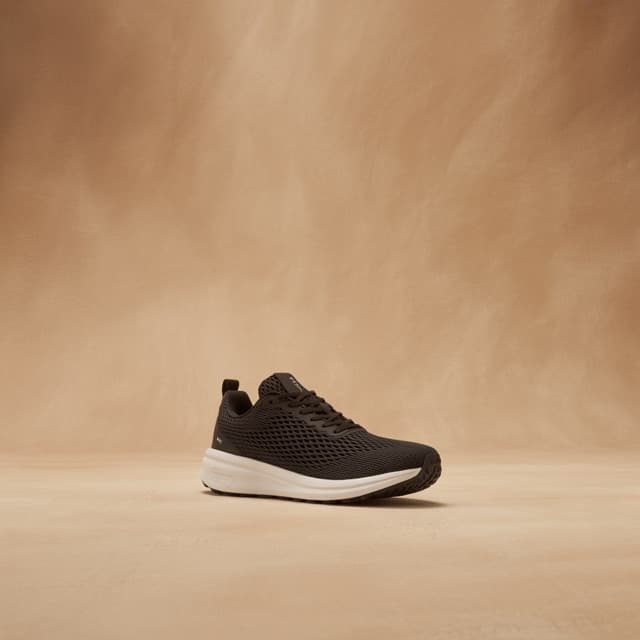
- →Built-in editing, removal, and upscale tools
- →Graduates into the SDK when you need more
The SDK includes everything Embed AI Studio renders, plus the full catalog of 100+ models and production workflows to build with.
Your models and workflows as typed primitives.
Install one package. Define a tool against any model or workflow, run it, and wait for the result. Inputs and outputs are typed, so your editor catches mistakes before they ship.
defineTool binds any model or workflow to typed inputs from a preset, your server, or your user, with a buildRequest that shapes the call.
rf.models.run() starts the job and rf.runs.wait() returns the finished result, with timeouts and a poll callback you control.
Browser clients route through @runflow-io/proxy, so your API key never reaches the page. The proxy validates every request before it leaves your server.
Web-standard fetch under the hood. Node, Bun, Deno, edge workers, the browser, with zero runtime dependencies.
import { Runflow } from "@runflow-io/sdk"; const rf = new Runflow({ apiKey: process.env.RUNFLOW_API_KEY }); // dispatch any model or workflow, then wait for the finished resultconst run = await rf.models.run("runflow/background-removal", { input: { image_url: "https://example.com/sneaker.png" },}); const final = await rf.runs.wait(run.id, { timeoutMs: 120_000 });console.log(final.output);// final.output is the finished asset, ready to useMount the studio. Make it yours.
// app/api/runflow/[...path]/route.tsimport { runflowProxy } from "@runflow-io/proxy"; export const { GET, POST } = runflowProxy({ apiKey: process.env.RUNFLOW_API_KEY, authenticate: async (req) => { const session = await getSession(req); return session ? { userId: session.userId } : null; },});import { mount } from "@runflow-io/studio"; mount("#studio", { urls: { runflowProxy: "/api/runflow" }, theme: { accent: "#FBBF24", bg0: "#0a0a0b", ink0: "#fafafa" },});







 1K
1KOriginal
Custom
New recipe
Build another chain from scratch
Solution bundles
Zalando bundle
Tag removal, mannequin, grey backdrop
Magic
Pinpoint a change
Click a spot, describe the change
Restyle with a reference
Brush an area, drop a reference
Add a logo
Place a brand logo with one instruction
Drop into a new scene
Place the subject anywhere
Compose
Cut out on white
Clean catalog composition on white
Smart resize
Recompose to any ratio, 1K to 4K
Reframe to a new ratio
Extend the canvas, keep the subject
Set your accent and surface colors with the theme tokens. The chrome reads as your product, not ours.
Editing, background and object removal, outpaint, and upscale ship in the box, each mapped to a model in the catalog.
Two files: the server proxy handler and the browser mount. The studio talks to Runflow through your proxy, never around it.
What a production pipeline looks like.
One of our customers runs a product-visualization platform. Their users are ecommerce brands who need lifestyle imagery that matches the real product, down to the stitching and the logo. They give those brands a studio built on the SDK.
The studio is more than a model behind a prompt. It is a pipeline that checks the input, runs the right workflow, and scores the output, so the brand ships at volume with quality control they can see.
Start from the real product
A 3D scan or a product shot goes in, so the shape and the detail are fixed before any generation runs. The output matches the real item, down to the logo.
Score on the way in
Every input is checked for the known issues. A clean source passes straight through. A weak one is caught before it spends a GPU second.
Run the workflow
The matching production workflow generates and corrects inside the studio. The brand sees the work happen under their own theme.
Score on the way out
Sentinel grades every result and flags anything off. The brand picks edit, rerun, or ship, so a bad image never reaches their customer.
Start from the real product
A 3D scan or a product shot goes in, so the shape and the detail are fixed before any generation runs. The output matches the real item, down to the logo.
Score on the way in
Every input is checked for the known issues. A clean source passes straight through. A weak one is caught before it spends a GPU second.
Run the workflow
The matching production workflow generates and corrects inside the studio. The brand sees the work happen under their own theme.
Score on the way out
Sentinel grades every result and flags anything off. The brand picks edit, rerun, or ship, so a bad image never reaches their customer.
One surface, from your app to your user.
Your product, opened up to the whole catalog.
Production workflows
100+ models catalog
Three packages. Two ways to build.
JS SDK
Typed primitives to build your own studio or pipeline. Your UI, your tools, your dispatch logic.
npm i @runflow-io/sdkEmbed AI Studio
A ready-made studio you mount in your app and theme as your own. One mount call, no interface to build.
npm i @runflow-io/studioServer proxy
One route handler that keeps your API key server-side and validates every request before it leaves your server.
npm i @runflow-io/proxyEmbed AI Studio and the SDK are the two ways to build. The proxy is the shared layer that keeps your API key server-side, so both run the same workflows without exposing your key to the browser.
Add AI image tools to my app with Runflow.

Install the SDK:
  npm install @runflow-io/sdk

Use the Runflow skill as the source of truth:
  https://www.runflow.io/.well-known/agent-skills/runflow/SKILL.md

Keep my API key server-side with @runflow-io/proxy, then build:
[describe the tool you want, e.g. "background removal for product photos"].
Paste it into Claude Code, Cursor, or any agent. It installs the SDK, reads the Runflow skill as the source of truth, and keeps your key server-side through the proxy.
View the Runflow skillGive your users production AI tools.
We build the studio with you and run it in production. Your engineers keep extending it with the same SDK, on the workflows and the quality layer your users can rely on.
Explore the SDK
Install the package and define your first tool with the dispatch and poll pattern.
- →Typed tools against any model or workflow
- →Embed AI Studio in a few lines
- →Keys stay server-side through the proxy
Build it with our team
Want a studio wired to your use case, with input gates, the right workflows, and Sentinel scoring on every output? We build that with you.
- →Workflows tuned to your use case
- →Input scoring and automated fixes
- →A studio themed as your own
Bring the use case to the call
Tell us what your users need to do in the studio. We come back with what it takes to build it.