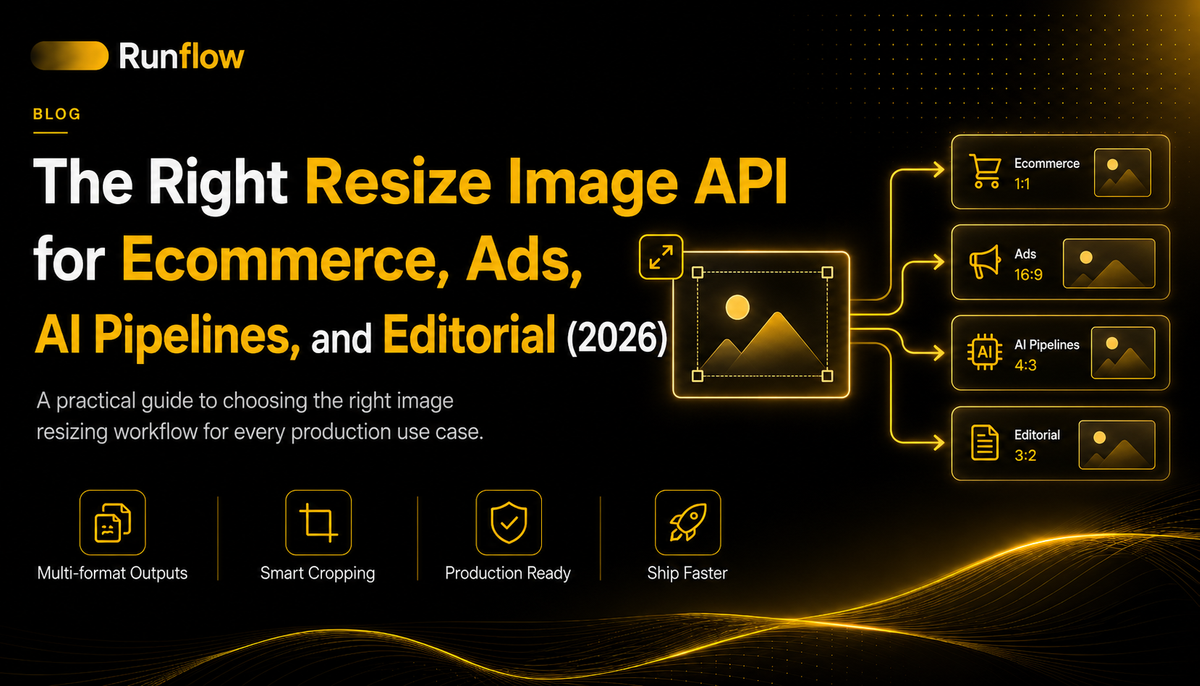
The Right Resize Image API for Ecommerce, Ads, AI Pipelines, and Editorial (2026)
How to pick a resize image API in 2026, by use case. Ecommerce, ads, AI pipelines, editorial, with code samples and an honest comparison of 7 options.

The right resize image API for ecommerce, ads, AI pipelines, and editorial (2026)
Most teams searching for a resize image API in 2026 type "resize" but mean "aspect ratio change." A 1080x1920 vertical photo needs to also work as a 1080x1080 Instagram square and a 1920x1080 display banner. The pixel math (width * 0.5) is the easy part. The hard part is that the subject is now half-cropped out of frame, or stretched, or sitting awkwardly in the corner of a canvas it wasn't composed for.
That's the gap this article covers. There are two real categories of resize image API in 2026, and the right one depends on the job. Mechanical resize (Sirv, Imgix, ImageKit, Bytescale, Cloudinary, Sharp) handles thumbnails, compression, format conversion, and CDN delivery. Intelligent reframing (Runflow Smart Resize, and a small handful of similar AI-native tools) handles aspect ratio change without losing the subject. Both belong in your stack. Neither replaces the other.
I'm Miguel, co-founder of Runflow. We built Smart Resize because BetterPic (our headshot product, 100K+ jobs/month on the platform) needed to deliver every headshot in 4 formats and we were burning a second generation call per format. One generation plus reframe per output turned out to be 3x cheaper and kept the subject identical across all formats. That's the origin story.
This piece is written for product and engineering teams choosing what to integrate. Marketing readers welcome too. We walk through what the categories actually do, then go use case by use case (ecommerce, ads, AI pipelines, editorial) with code samples, integration patterns, and an honest recommendation for each. Smart Resize is Runflow's own product, disclosed up front. Where the right answer is Sirv or Imgix, we say so.
What is a resize image API?
A resize image API is an HTTP endpoint that accepts an image and parameters describing a desired output (dimensions, aspect ratio, format, quality) and returns a transformed version, either as a stream, a URL, or via webhook callback.
The category has existed for over a decade in two recognizable shapes. The first shape is the image CDN with transformations: Imgix in 2011, Cloudinary in 2012, ImageKit in 2017, Sirv around the same time. These services exposed URL-based or POST-based APIs where the resize was a parameter, the image was cached, and delivery was the actual product. Bytescale and similar developer-first APIs followed.
The second shape is the self-hosted library wrapped as a service: Sharp on Node.js, Pillow on Python, libvips under both. Teams running their own infrastructure expose these as internal APIs without paying for a third party.
The third shape, which barely existed before 2024 and is the reason this article exists, is the AI-native intelligent reframing API: a service that uses generative models to recompose an image into a different aspect ratio without cropping the subject or distorting it. Runflow's Smart Resize is one example. A handful of similar tools have launched in the last 18 months. They solve a problem the older two shapes can't. Smart Resize sits alongside 16 other production endpoints on the Runflow Solutions API platform, which is worth browsing if you're adding image processing to your product and want to see what else is available beyond resize.
Most teams need at least one tool from category one or two. Some teams need category three on top. Which combination depends on the job.
Mechanical resize vs intelligent reframing: the split that matters in 2026
Mechanical resize is pixel math: scale dimensions, optionally crop, optionally compress. Intelligent reframing is AI recomposition: detect the subject, generate new pixels around it to fill a different aspect ratio, deliver the result without distortion.
The split matters because most resize problems in 2026 are actually composition problems. Consider a real example: an ecommerce brand has a 4:5 portrait product photo. They need that photo as:
- 1:1 square for Instagram feed
- 9:16 vertical for Stories and Reels
- 16:9 horizontal for display ads
- 4:3 for the Shopify product listing thumbnail
- 21:9 for the homepage hero banner
A mechanical resize API can produce all five. The 1:1 square will crop off the top or bottom of the product. The 16:9 horizontal will either crop the product severely or leave huge empty bars. The 21:9 hero will look like a thumbnail floating in a black void. The math is correct; the result is unusable.
An intelligent reframing API takes the same source and generates the missing pixels around the product to fill each canvas naturally. The product stays intact and centered. The scene extends in plausible directions. The five outputs are usable as delivered.
The decision rule is simple: if the output aspect ratio is the same as the input, use mechanical resize. If the output aspect ratio is different, use intelligent reframing if subject preservation matters, mechanical resize with smart crop if it doesn't.
Some jobs don't care about subject preservation. A 200x200 thumbnail of a UI screenshot doesn't need AI; just resize and crop. Other jobs care enormously. A 9:16 Story version of a 16:9 hero shot needs the subject in frame or the ad fails. Pick by the job, not by the API.
Smart Resize: the AI-native approach
Before walking through the 7 resize image APIs in the next section, this part is about Runflow's own product. It's disclosed here so the rest of the article can compare honestly without burying the bias.
Runflow Smart Resize is a generative reframing API that converts any source image to a target aspect ratio (1:1, 16:9, 9:16, 4:3, 3:4, 21:9, 2:3, 3:2) and resolution (1K, 2K, 4K) without cropping the subject or distorting the composition.
The mechanism: send a source image and a target aspect ratio. The pipeline detects the subject (a face, a product, a scene focal point), generates new pixels around it to fill the new canvas while preserving the original subject pixels, and outputs at the requested resolution. One API call per output. $0.55 per image at the published price.
What it's actually good for, in order of fit:
- Ad creative across formats. One hero shot, every aspect ratio Meta and TikTok demand. This is the cleanest use case and the one where Smart Resize most clearly outperforms mechanical alternatives.
- Ecommerce catalog adaptation. Hero product photos and lifestyle shots reframed for storefront, ad platforms, and social, without reshooting per format. For the full marketplace-by-marketplace pipeline covering Amazon, Shopify, and Etsy compliance, see the product photography automation playbook.
- AI image pipeline post-processing. Generated outputs (Flux, SDXL, Imagen, GPT Image) come out in one aspect ratio. Smart Resize is the last-mile step that adapts them to every delivery format. This is one of the 10 use cases covered in our AI image workflows guide.
- Editorial and publishing layouts. Magazine spreads, hero banners, social cards, and CMS thumbnails from the same editorial shoot.
- Creator tools and social apps. "Post once, publish everywhere" features inside SaaS products.
What it isn't for: thumbnails, format conversion (JPEG to WebP), compression for CDN delivery, or any job where the input and output aspect ratios match. For those jobs, Sirv, ImageKit, or self-hosted Sharp are cheaper and faster. Smart Resize uses GPU compute per image, which is what makes the output good and what makes it cost $0.55 instead of $0.001.
Honest framing: if you're doing mechanical resize at scale, don't use Smart Resize for it. Use it where it solves a problem the cheaper tools can't.
Smart Resize is live at runflow.io/api/smart-resize. The full Runflow Solutions API catalog has 16 other endpoints (background removal, headshots, skin fix, product isolation, and more) that chain with Smart Resize in production pipelines. The rest of this article covers the other 6 resize options and which use case fits which.
The 7 resize image APIs worth knowing in 2026
The comparison below is based on documented features, public pricing, and what each API is genuinely best at. No head-to-head benchmarks were run for this article; if you need throughput numbers, run them against your own traffic shape because resize performance depends on input format, output size, and concurrency in ways that synthetic benchmarks don't capture.
| API | Type | Aspect ratio handling | Batch | Price/image | Best for |
|---|---|---|---|---|---|
| Sirv | Mechanical CDN | Crop modes only | Via CDN | From $0.0003 | High-volume CDN delivery |
| Bytescale | Mechanical API | URL params + crop modes | Yes | From $0.001 | Developer-first integration |
| ImageKit | Mechanical CDN | URL params + smart crop | Via CDN | From $0.0005 | Real-time transformations |
| Imgix | Mechanical CDN | URL params + crop modes | Via CDN | From $0.0008 | Mature, enterprise traffic |
| Cloudinary | Full-stack | Smart crop + some AI | Yes | Free + paid tiers | All-in-one asset platform |
| Sharp (self-host) | Library | Crop modes via code | Self-managed | Infra cost only | Teams already on Node.js |
| Runflow Smart Resize | AI reframing | Generative recomposition | Yes, async | $0.55 | Aspect ratio change without crops |
Sirv
A mature image CDN with on-the-fly resize and a generous free tier. Image transformations happen via URL parameters and are cached at the edge. Sirv handles compression, format conversion (JPEG, WebP, AVIF), and crop modes well, with a solid product photography focus and a 360-spin feature that's unusual in the category.
Strength: cheap at volume, mature infrastructure, fast edge delivery.
Weakness: pure mechanical resize. Aspect ratio change with a different source crops or distorts.
Best for: ecommerce catalogs that need fast, cached, mechanically-resized image variants delivered globally.
Bytescale
Developer-first image processing API with a JS-heavy ergonomics layer. The API accepts uploads, transformations are configured via URL parameters or POST, and the response is either a transformed URL or a stream. Pricing is consumption-based with a free tier that's enough for early-stage products.
Strength: clean developer experience, predictable pricing, good docs.
Weakness: smaller scale than Imgix/Cloudinary, mechanical resize only.
Best for: developer teams building image features into SaaS apps where simple resize and format conversion are the main jobs.
ImageKit
Image CDN built in India that competes head-to-head with Cloudinary on price and feature parity. Real-time transformations via URL parameters, smart crop (focal-point detection but not generative), and AI features like background removal and smart cropping are bolted on.
Strength: competitive pricing vs Cloudinary, smart crop that detects faces and objects, strong APAC delivery.
Weakness: smart crop still crops; doesn't generate new pixels. Aspect ratio change loses subjects when the source doesn't fit.
Best for: ecommerce and SaaS teams that want Cloudinary-level tooling at a lower price point.
Imgix
The OG of image CDNs. Mature, enterprise-grade, used by major media companies. URL-based transformations, edge caching, format negotiation, and a developer-friendly API that has aged well. Pricing skews enterprise; smaller teams find it expensive relative to alternatives.
Strength: battle-tested at scale, fast everywhere, excellent format negotiation.
Weakness: pricing, mechanical-only, slower to ship modern AI features.
Best for: high-traffic media sites and large ecommerce platforms where CDN performance is non-negotiable and the budget supports it.
Cloudinary
Full-stack media platform: storage, CDN, transformations, video, DAM. Cloudinary has bolted some AI features onto the resize layer (auto-crop using AI focal point detection, generative fill in newer tiers) but the core resize remains mechanical. Pricing is complex with credit-based tiers that scale unpredictably for some workloads.
Strength: the most feature-rich option in the mechanical category, decent AI add-ons.
Weakness: complex pricing, vendor lock-in concerns at scale, AI features lag dedicated tools.
Best for: teams that want one platform for everything image-related and are okay with the pricing model.
Sharp (self-hosted)
Not an API, a Node.js library wrapping libvips. Included here because most "I need a resize image API" searches end with a developer realizing they can run Sharp inside their own service for free. Sharp is the fastest mechanical resize in the Node ecosystem and a frequent default for teams that already operate their own infrastructure.
Strength: free (infra cost only), extremely fast, full control, no vendor risk.
Weakness: you operate it. Cold starts, scaling, error handling, queue management, CDN integration are your problem.
Best for: teams already running Node.js services that need mechanical resize as a feature, not as a product.
Runflow Smart Resize
Covered in detail in the section above. Quick recap: AI-native reframing for aspect ratio change without subject loss. $0.55 per image. Eight aspect ratios, three resolution tiers (1K, 2K, 4K). Async batch processing. Best for ads, ecommerce hero shots, AI pipeline post-processing, and editorial layouts where subject preservation matters. Part of the broader Runflow Solutions API platform.
For mechanical resize, Smart Resize is overkill. For aspect ratio change with subject preservation, nothing in the mechanical category solves the problem at the same quality.
Resize image API for ecommerce (product catalogs and listings)
Ecommerce teams need two different resize jobs handled differently: mechanical resize for listing thumbnails and CDN delivery, intelligent reframing for hero shots and lifestyle adaptation across format-different platforms.
The two jobs:
Job 1: Thumbnails and listing images at scale. Every product needs a 200x200, a 400x400, a 600x600, and a few larger sizes for category pages, search results, and recommendation widgets. All same aspect ratio as the source, just smaller. Mechanical resize is correct here. Volume is high, cost-per-image must be near-zero.
Job 2: Hero shots and lifestyle images across different aspect ratios. The same product hero photo needs to appear as the 4:3 PDP banner, the 1:1 Instagram post, the 9:16 Story, the 16:9 display ad, and the 21:9 homepage hero. Different aspect ratios from the same source. Mechanical resize crops the product or stretches it. Intelligent reframing keeps the product intact.
Code for Job 1 with Sirv (mechanical, URL-based):
# Generate a 400x400 thumbnail from a source image
curl "https://your-account.sirv.com/products/sku-12345.jpg?w=400&h=400&crop=center"
Sirv caches the result at the edge. Subsequent requests are instant. Cost per image is fractions of a cent at volume.
Integration pattern: most ecommerce teams running both jobs route mechanical thumbnails through their existing CDN (Sirv, ImageKit, or Imgix already in the stack) and call Smart Resize only for the aspect-ratio-change jobs that the CDN can't solve. The two systems coexist cleanly. Don't pick one for both. For the full marketplace-by-marketplace spec breakdown covering Amazon, Shopify, and Etsy compliance in one pipeline, see the product photography automation playbook.
Recommendation: Sirv or ImageKit for thumbnails. Smart Resize for hero shot adaptation across formats.
Resize image API for ads and multi-format campaigns
Ad teams produce 30+ creative variants per campaign by aspect ratio and placement; mechanical resize fails because cropping kills focal points; intelligent reframing is the only category that solves this cleanly.
A single ad campaign needs creative variants for:
- Meta feed (1:1)
- Meta Stories and Reels (9:16)
- Display Network (16:9, 4:3, sometimes 21:9)
- TikTok (9:16)
- YouTube pre-roll (16:9 short, 9:16 vertical)
- Google Search image extensions (varying)
Before AI reframing existed, the workflow was: art director designs the hero in one aspect ratio, then either crops manually for each format (loses subjects half the time) or has a designer rebuild each version (expensive, slow, doesn't scale across campaigns). Performance marketing teams running A/B tests on 20-50 creative variants per week burn entire design teams on this work.
Smart Resize closes the loop with one API call per output. The same hero shot goes in, every aspect ratio comes out with the subject intact. Eight outputs at $0.55 each is $4.40 to produce a full multi-format set from one source.
Integration pattern: ad ops teams connect Smart Resize to their asset library (Frontify, Bynder, in-house DAM) on the upstream side and to their ad platform asset uploads (Meta Business Manager API, Google Ads API, TikTok Ads Manager) on the downstream side. The middle is automated. One hero shot lands in the DAM, every variant ships to every platform without human handling.
Recommendation: Smart Resize. This use case is what intelligent reframing was built for. Mechanical resize alternatives don't solve the aspect ratio change problem; they only solve the scaling problem, which isn't the bottleneck here.
Resize image API for AI pipelines (post-processing generated outputs)
AI image generators output in one aspect ratio at a time, but most products need to deliver in many; resize is the last-mile step of the generation pipeline, and intelligent reframing is the only way to handle aspect ratio change on AI-generated subjects without losing what the model just produced.
This is the use case that's least obvious from the outside and most important for builders. If you're running text-to-image (Flux, SDXL, Imagen, GPT Image), the model produces an output at the resolution and aspect ratio you requested. Want a different aspect ratio? Run the generation again, which costs another inference call and produces a different image (different seed, different composition). That's expensive and breaks consistency.
The cleaner pattern: generate once in the model's strongest aspect ratio (usually 1:1 or 4:5 depending on the model), then reframe to every needed output. The generation cost stays at one call. The reframing cost is $0.55 per output. The subject (a generated face, a generated product, a generated scene) stays consistent across all aspect ratios because it's the same source.
This is the pattern BetterPic runs in production. Headshots generate in 1:1, then Smart Resize delivers the LinkedIn portrait (4:5), resume header (16:9), and mobile lockscreen (9:16). One generation call plus three reframe calls. The subject stays pixel-identical across formats because the reframe preserves the original subject pixels and only generates the surrounding canvas. It's also one of the 10 use cases covered in our AI image workflows article under the in-app personalized image generation pattern.
Integration pattern: handle the resize step asynchronously. Generation calls are slow (5-30 seconds depending on the model); resize calls are faster (2-5 seconds) but you still don't want to block your user-facing response. Use webhooks for both steps and stitch them in your backend. If you're running Sentinel in the pipeline, add a scoring step after the reframe to catch cases where the generative fill introduced artifacts or shifted the subject off-center. $0.05 per evaluation, same as any other pipeline step.
If you're building your own resize step inside a ComfyUI pipeline rather than calling an external API, our ComfyUI workflows guide covers the patterns under workflow 13 (background replacement) and the production hardening section.
Recommendation: Smart Resize for aspect ratio change of AI-generated outputs. Sharp self-hosted if you're already running Node.js infra and only need mechanical resize of generated outputs.
Resize image API for editorial and publishing
Editorial teams produce hero photography that needs to live across magazine spreads, hero banners, social cards, and CMS thumbnails; the workflow benefits from intelligent reframing because the subject (a portrait, a product, a scene) must stay framed correctly across every layout.
The specific job: a single photoshoot produces 50-200 frames. Each frame might appear as a full-page editorial spread (often 2:3 or 3:2 portrait), a hero banner on the article page (16:9 or 21:9), a social card for promotion (1:1 or 4:5), and a CMS thumbnail (4:3). Different aspect ratios from the same source.
Pre-AI, this was a layout designer's job per output. AI reframing collapses it to one API call per format with the subject preserved.
Integration pattern: CMS hooks. When an editor uploads a hero shot to the CMS, the upload triggers a Smart Resize batch with all the target formats. Outputs land back in the CMS via webhook, tagged with the article ID and the layout role. Editors and designers see all the formats ready in the article asset panel without manual work.
Recommendation: Smart Resize for layout adaptation across formats. Imgix for high-traffic CDN delivery if your editorial site has significant traffic and needs edge caching on top of the reframed outputs.
How to choose: a decision framework
The decision rule is two questions: (1) is the input aspect ratio the same as the output? If yes, mechanical resize is fine. (2) If different, does subject preservation matter? If yes, intelligent reframing. If no, mechanical resize with smart crop.
The matrix:
| Job | Same aspect ratio? | Subject matters? | Recommended type |
|---|---|---|---|
| Listing thumbnails at scale | Yes | Doesn't matter | Mechanical (Sirv, ImageKit, Imgix) |
| Format conversion (JPEG to WebP) | Yes | N/A | Mechanical |
| Compression for CDN | Yes | N/A | Mechanical |
| Hero shot for multi-format ads | No | Yes | Intelligent (Smart Resize) |
| Product photo for ecommerce platforms | Sometimes | Yes | Intelligent for aspect change |
| AI-generated output to delivery formats | No | Yes | Intelligent (Smart Resize) |
| Editorial photo across layouts | No | Yes | Intelligent (Smart Resize) |
| UI screenshots for documentation | Yes | Doesn't matter | Mechanical |
| Avatar / profile photo crops | Sometimes | Yes for face | Smart crop or intelligent |
Three specific scenarios walked through:
Scenario 1: a SaaS app that lets users upload a photo and generates social media variants. Mixed. The variants likely include several aspect ratios different from the source. Subject preservation matters (user is the subject). Use Smart Resize for the aspect-ratio-different formats. Use mechanical resize for the same-aspect-ratio compressed versions and CDN delivery.
Scenario 2: a Shopify store with 5,000 SKUs and one product photo per SKU. Mostly mechanical. Product listing thumbnails and image variants are all the same aspect ratio. Use Sirv or ImageKit for that. The exception: if you're producing hero banners or homepage carousels in aspect ratios different from the source product photo, Smart Resize handles those.
Scenario 3: an AI headshot product. This is the BetterPic pipeline. Generation produces outputs in 1:1. Delivery needs LinkedIn portrait (4:5), resume header (16:9), mobile lockscreen (9:16), and the original 1:1. Use Smart Resize for the three aspect-ratio-change outputs. Use mechanical resize (Sharp self-hosted is common here because the rest of the stack is custom) for the compression and CDN steps. One generation call plus three reframe calls at $0.55 each is $1.65 for a full multi-format headshot set, compared to $3-$5 for running the generation model three more times.
The general rule: most teams need both categories. The mechanical resize tier handles 80% of resize calls by volume. The intelligent reframing tier handles 80% of resize calls by value. Pick one tool from each category. Don't try to make one tool do both jobs.
Pricing and cost at scale
Mechanical resize APIs run $0.0003 to $0.001 per image at scale. Intelligent reframing runs $0.05 to $0.55 per image because each call uses GPU compute. The 100x price difference reflects a real cost difference, not vendor margin.
The pricing table (best public list price as of mid-2026; volume discounts apply for most):
| API | Free tier | Entry price | At scale |
|---|---|---|---|
| Sirv | 500 MB storage, 2 GB bandwidth | $14/mo for 50 GB | ~$0.0003 per image at volume |
| Bytescale | 1 GB bandwidth/mo | $20/mo for 10 GB | ~$0.001 per image at volume |
| ImageKit | 20 GB delivery/mo | $49/mo for 200 GB | ~$0.0005 per image at volume |
| Imgix | 1,000 origin images, 100 GB | $75/mo entry tier | ~$0.0008 per image at volume |
| Cloudinary | 25 monthly credits | Complex credit system | Varies, often $0.001-$0.005 |
| Sharp (self-host) | Free, infra cost only | Your EC2/GCP bill | Sub-$0.0001 at scale, your ops |
| Runflow Smart Resize | Free credits on signup | $0.55 per image, fixed | $0.55 per image, no volume discount published |
When the price difference matters: high-volume CDN delivery and thumbnail generation. If you're doing 10 million resize calls a month and most are same-aspect-ratio thumbnails, that's $5,500 a month on Smart Resize vs $50-$100 on Sirv. Use Sirv.
When the price difference doesn't matter: lower-volume aspect ratio change for high-value outputs. If you're producing 5,000 ad creatives a month at $0.55 each, that's $2,750. Completely reasonable next to the cost of designer time, photo reshoots, or lost performance from cropped subjects. The math works.
Most teams running both categories spend 90% of their image budget on mechanical resize (high volume, low cost) and 10% on intelligent reframing (low volume, high value). That's the right split.
FAQ: resize image API
What is a resize image API?
A resize image API is an HTTP endpoint that accepts an image and parameters describing a desired output (dimensions, aspect ratio, format, quality) and returns a transformed version. Most APIs fall into two categories: mechanical resize (pixel math) and intelligent reframing (AI-driven recomposition for aspect ratio change).
What's the best resize image API in 2026?
There isn't a single "best" because the right answer depends on the job. Sirv, Imgix, and ImageKit are best for high-volume CDN delivery. Bytescale is best for developer-first integration. Cloudinary is best for all-in-one asset management. Runflow Smart Resize is best for aspect ratio change without subject loss. Sharp self-hosted is best for teams already running Node.js.
Is there a free resize image API?
Yes, several. Sirv, Bytescale, ImageKit, Cloudinary, and Imgix all have free tiers sufficient for testing and small production loads. Sharp is free as a library and only costs the infrastructure you run it on. Runflow Smart Resize has free credits on signup but is paid per image after.
How do I resize an image for Instagram via API?
Instagram supports 1:1, 4:5, and 9:16. A mechanical resize API can produce these dimensions but will crop or distort if the source is a different aspect ratio. For multi-format Instagram output from one source without cropping, use Runflow Smart Resize or a similar intelligent reframing API.
How do I resize an image without cropping it?
Three options. (1) Use intelligent reframing (Smart Resize) to generate new pixels around the subject. (2) Use outpainting in a generative AI pipeline (slower, more flexible). (3) Add letterboxing or pillarboxing with a mechanical resize API (cheap, but the output has visible bars).
What's the cheapest resize image API?
Per image at high volume, Sirv at around $0.0003 per image is the cheapest hosted option. Self-hosted Sharp on your own infrastructure is cheaper if you already have the capacity. For lower volumes with simpler integration, Bytescale's free tier covers most early-stage use cases.
What's the fastest resize image API?
Edge-cached delivery from Imgix, Sirv, or ImageKit is the fastest for repeat requests (sub-50ms globally). For first-request latency, self-hosted Sharp running on a warm worker can hit 10-30ms. Intelligent reframing APIs are slower (2-5 seconds) because they run GPU inference, which is the tradeoff for the better output.
Can I bulk resize images via API?
Yes. Most APIs support batch via a request that takes an array of images or transformations. Smart Resize specifically supports async batch processing with webhook delivery. For volume mechanical resize, the standard pattern is parallel HTTP requests against the CDN-based APIs (Sirv, Imgix) rather than a dedicated batch endpoint.
What's the difference between resize and outpainting?
Resize changes dimensions, optionally with cropping. Outpainting generates new pixels at the edges of an image to extend it. Intelligent reframing (Smart Resize) is closer to a constrained outpaint: it generates new pixels around a subject to fit a target aspect ratio, but the goal is preserving the subject in a different canvas rather than extending the scene arbitrarily.
Is there an open source resize image API?
Sharp (Node.js library) is the most common foundation for self-hosted resize APIs. Pillow on Python and libvips (which Sharp wraps) are also popular. Several open-source projects wrap these as HTTP services, including Imaginary and Imagor. None of them currently match the quality of commercial intelligent reframing APIs for aspect ratio change.
How do I integrate a resize image API with my CDN?
Two patterns. First, use a CDN that does resize at the edge (Sirv, ImageKit, Imgix) and serve transformed URLs directly. Second, use a non-CDN API for the resize step (Smart Resize, Bytescale, self-hosted Sharp) and front it with your own CDN (CloudFront, Cloudflare) for caching. The second pattern is more flexible but adds an operational step.
Can a resize image API handle WebP and AVIF?
Yes, all the APIs in this article support modern formats both as input and output. Sirv, Imgix, ImageKit, and Cloudinary do automatic format negotiation based on the requesting browser. Smart Resize accepts JPEG, PNG, and WebP input and outputs WebP by default at the requested resolution.
Where to go next
If you're integrating a resize image API now, work in this order:
- Identify your real jobs. List every resize call your product needs to make. Group them into mechanical (same aspect ratio) and intelligent reframing (aspect ratio change). Most products have both.
- Pick one tool per category. One mechanical resize API (Sirv, ImageKit, Imgix, or self-hosted Sharp depending on your stack) and one intelligent reframing API for the aspect-ratio-change jobs. Don't try to make one tool do both.
- Build the easy path first. Mechanical resize integration is fast (URL parameters or a few lines of code). Get that working before you add the AI step.
- Add async handling for the reframing calls. Smart Resize and similar APIs are slower per call (2-5 seconds). Use webhooks. Don't block user-facing requests on them.
- Try Smart Resize for your hardest aspect ratio change job. Pick the one you've been hand-editing in Photoshop or burning designer hours on, and see what the output looks like.
- Browse the Runflow Solutions API catalog if your pipeline needs more than resize. Background removal, product isolation, headshots, skin fix, and 12 other endpoints are built to chain together.
- Review the AI image workflows guide if your product touches AI image generation. Resize is one piece of a larger pipeline.
- Look at the ComfyUI workflows guide if you're building custom AI image pipelines and want resize as a node in your own graph rather than as an external API call.
The real problem in 2026 isn't making images smaller. It's making them fit a different canvas without losing the subject. Pick the tool that matches the actual job.
Want custom benchmarks for your workload?
We'll run our evaluation pipeline against your production data, for free.
Talk to Founders